Looking to upgrade or migrate your computer’s drive? This guide highlights top disk cloning software options that balance safety, ease of use, and compatibility. The best picks are aimed at different buyers: home users upgrading a notebook, professionals cloning for system migrations, and hobbyists testing backups. Below is a quick summary table of the selected products to help you compare at a glance.
| Product | Best For | Key Benefit |
|---|---|---|
| NTI Echo 7 | General drive upgrades | 4K-sector support with automatic resize |
| NTI Cloning Kit (SATA kit) | Desktop upgrades | Includes USB-to-SATA adapter |
| NTI Cloning Kit (M.2 NVMe kit) | NVMe SSD upgrades | M.2 NVMe enclosure included |
| CloneZilla on 8GB USB Drive | Open-source cloning | Bootable system backup on USB |
| O&O DiskImage 21 Premium | Windows data protection | Reliable backup and cloning tools |
NTI Echo 7 | Disk Cloning & Migration Software

NTI Echo 7 offers a straightforward path to clone and migrate drives with 4K-sector drive compatibility in both directions. It also features automatic dynamic resize, which adjusts partitions automatically when cloning to drives of differing sizes. This makes it best for users upgrading to larger or smaller drives without manual partition work. Suitable for both newcomers and seasoned users who want a reliable, safe upgrade process.
Best for: Home users upgrading a single PC or small workstations, who value a simple workflow and strong partition management. Caution: Some users may need initial setup help for complex layouts or unusual drive configurations.
NTI Cloning Kit | NEW Version 7 Software (SATA Kit)
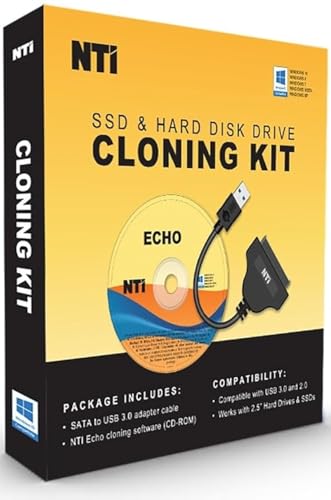
The NTI Cloning Kit Version 7 combines Echo 7 software with a SATA-to-USB adapter for easy cloning of 2.5″ drives. Its 4K-sector support and dynamic resize simplify moving to larger or smaller drives while minimizing manual partition tuning. The kit is well-suited for desktop upgrades and simple migrations where an external adapter is convenient.
Best for: Users upgrading a laptop or desktop using 2.5″ SATA drives who want a complete cloning and adapter solution. Caution: Some reported issues in older reviews typically relate to older software versions rather than V7 itself.
NTI Cloning Kit | M.2 NVMe Upgrade Kit (Version 7)

This NTI M.2 NVMe kit expands on Echo 7 with an enclosure for M.2 NVMe SSDs, plus the NTI Echo 7 software. It supports a wider range of drive formats and connects via USB-C or USB 3.0/2.0. Ideal for upgrading modern laptops and desktops that use NVMe storage, with the same automatic partition adjustments for easier upgrades.
Best for: Professionals and enthusiasts upgrading to or migrating NVMe drives. Caution: Ensure compatibility with your motherboard’s NVMe slot and USB interface before purchase.
CloneZilla on 8GB USB Drive

Clonezilla is a free, open-source cloning solution delivered as a bootable OS on a compact USB drive. It supports full system cloning, backups, and recovery, making it versatile for IT administrators and power users who prefer hands-on, customizable cloning. It’s a strong option when you need low-cost, flexible imaging without vendor lock-in.
Best for: Tech-savvy users and IT hobbyists who want a robust, no-frills cloning tool. Caution: The interface is text-based and may require follow-up from online guides for complex tasks.
O&O DiskImage 21 Premium
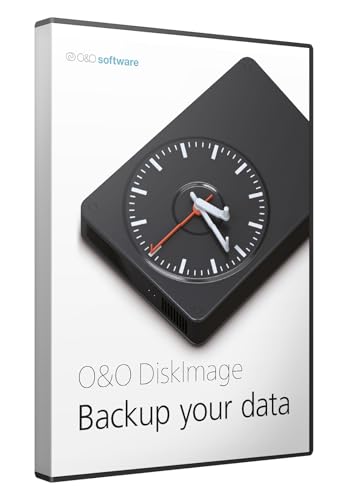
O&O DiskImage 21 Premium focuses on Windows backup, system recovery, and disk cloning with data loss protection. It’s designed for users who want reliable disaster recovery capabilities and faster system restoration. Choose this if you value strong protection, repeatable imaging, and straightforward recovery workflows for Windows PCs.
Best for: Windows-based environments requiring reliable backups and quick recovery. Caution: More features are geared toward professional users and IT workflows; casual cloning might seem feature-rich for some buyers.
EZITSOL SATA HDD SSD Cloning Kit

EZITSOL offers an all-in-one disk cloning kit with a bootable USB key and USB 3.0-to-SATA cable. It supports 2.5″ drives and is designed for easy cloning without reinstalling Windows. This kit appeals to users who want a portable, offline cloning solution for drive upgrades and migrations.
Best for: Users seeking an offline cloning solution with a portable kit for quick upgrades. Caution: Cloning 3.5″ drives may require additional adapters not included in the kit.
SABRENT Dual-Bay USB-C Cloner (EC-CH2B)

The SABRENT dual-bay dock functions as an offline cloner, allowing direct copy from one SATA drive to another without a computer. It supports two drives simultaneously and is best for simple, quick cloning tasks where portability and speed matter. Not ideal for complex imaging tasks requiring software control.
Best for: Quick, hardware-based cloning tasks when a computer-free workflow is preferred. Caution: Only supports SATA drives; does not work with IDE or NVMe drives in this setup.
Disk Drive Cloning Tools on CD

This bootable CD provides a collection of cloning and imaging tools designed for PC environments. It’s useful for users who prefer a physical media solution, enabling full-system imaging and recovery functionality in a standalone environment. This option consolidates several utilities on one disc.
Best for: Users who want a legacy, bootable media approach to cloning and imaging. Caution: Modern systems may rely on newer hardware interfaces that are not all covered by older tools on CD.
Buying Guide
What to consider when choosing disk cloning software
- Drive compatibility: Check 4K-sector support, NVMe, and legacy drive compatibility with your target drive.
- Migration path: Do you need simple cloning, or do you require advanced partition management and resizing?
- Hardware integration: Consider whether you prefer software-only cloning or a hardware kit with adapters/enclosures.
- Offline vs online: Do you want a bootable tool for offline cloning, or software that runs within the OS?
- Operating system focus: Windows-centric tools vs cross-platform options like Clonezilla.
- User expertise: Some tools are beginner-friendly; others cater to IT professionals with more complex workflows.
Frequently Asked Questions
- What is disk cloning software used for?
Disk cloning software creates an exact copy of a drive’s contents, enabling upgrades, migrations, or backups with a bootable or restorable image.
- Is 4K-sector drive support important?
Yes. It ensures cloning works between older 512-byte drives and modern 4K drives, reducing transfer issues.
- Can I clone a Windows system without reinstalling Windows?
Yes. Many cloning tools include migration and imaging features that preserve the Windows installation on the new drive.
- Should I choose a hardware kit or software-only solution?
Hardware kits simplify setup for many users, while software-only options offer flexible, software-driven cloning; choose based on your workflow and hardware.
- What is offline cloning?
Offline cloning uses a bootable device (USB/CD) to clone drives without starting the original operating system.
- Are open-source options reliable for critical data?
Open-source tools like Clonezilla are widely used and respected, but ensure you understand the workflow and back up important data beforehand.