Finding the right 2-in-1 ultrabook means balancing versatility, battery life, and processing power. This guide highlights five strong options that cover business productivity, creative tasks, and travel-friendly use. Each pick is evaluated for who benefits most, where it shines, and any limitations to consider before buying.
Buyer snapshot: this table compares key traits to simplify your choice.
| Product | Display | CPU / RAM | Storage | |
|---|---|---|---|---|
| Lenovo ThinkPad X1 Yoga 4th Gen | 14″ FHD | Core i5 (8th Gen) / 16GB | 256GB SSD | Business portability with solid build |
| Lenovo Yoga 9i Aura Edition | 14″ 4K OLED | Intel Core Ultra 7 / 32GB | 1TB SSD | Creative work and premium visuals |
| Lenovo ThinkPad X1 Yoga 4th Gen (14″) | 14″ WQHD | Core i7-10510U / 16GB | 512GB SSD | Powerful multitasking with business features |
| Lenovo ThinkPad X1 Yoga Gen 7 | 14″ Touch | Core i7-1265U / 16GB | 256GB NVMe | Latest-gen performance and security |
| Lenovo IdeaPad Yoga 11s | 11.6″ Convertible | Intel Core i5 / 4GB | Not specified | Extremely portable travel companion |
Lenovo ThinkPad X1 Yoga 4th Gen 14″ 2-in-1 Ultrabook

The ThinkPad X1 Yoga 4th Gen is a durable 14-inch 2-in-1 built for on-the-go work. Best for professionals who value a robust keyboard, secure design, and reliable business features in a portable chassis. The unit’s 8th-generation Intel Core i5 with 16GB RAM handles multitasking well for office tasks and light creative work. A potential limitation is its older generation compared with the latest chips, which may affect peak performance in demanding apps.
Lenovo Yoga 9i Aura Edition 14” 4K OLED 2-in-1

Best for creators and color-critical work, thanks to a 14″ 4K OLED display with 100% DCI-P3 and brilliant brightness. The Aura Edition offers high memory and storage (32GB RAM, 1TB SSD) for multitasking with large files and design apps. It’s powered by a high-performance core processor and premium features, with a premium price and potential battery life considerations in OLED mode. Choose this if display quality and multitasking headroom are priorities.
Lenovo ThinkPad X1 Yoga 4th Gen 14″ WQHD 2-in-1
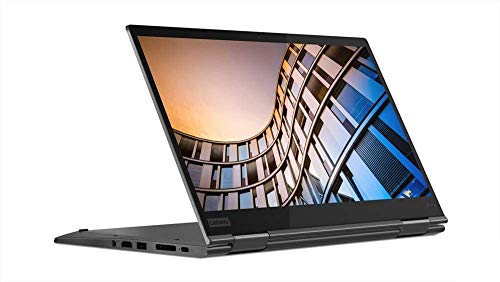
Best for business multitaskers who need sharper visuals with the WQHD display. The 10th-generation Intel Core i7, 16GB RAM, and a 512GB NVMe SSD offer a strong balance of speed and storage for professional workloads. This model emphasizes enterprise usability and security, making it a solid choice for frequent travelers and 2-in-1 fans. A limitation is that it sits in a slightly older generation relative to the latest CPUs.
Lenovo ThinkPad X1 Yoga Gen 7 14″ 2-in-1
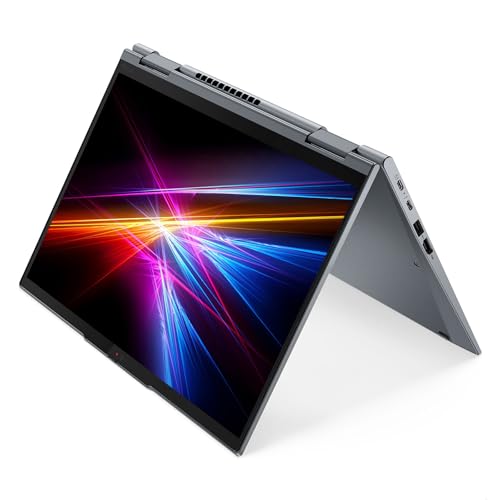
Best for power users who want the latest gen performance and advanced connectivity. The Gen 7 offers an i7-1265U, 16GB RAM, 256GB NVMe, and Thunderbolt 4, delivering strong multitasking and versatile ports. It’s well-suited for professionals who need robust security features and fast data transfer. A potential trade-off is the system’s price and battery life under heavy workloads, which may be longer than some lighter models.
Lenovo IdeaPad Yoga 11s 11.6-Inch Convertible

Best for ultra-portable travel, thanks to the compact 11.6-inch form and an affordable option in the 2-in-1 category. This model includes a modest processor and limited RAM, making it suitable for light tasks like web browsing, document editing, and media streaming. It’s less ideal for heavy multitasking or demanding software. Consider this if portability and cost are your primary concerns.
Buying Guide
What screen quality do I need?
Look for a high-resolution display if you will do design work or media viewing. OLED or high-brightness panels improve color accuracy and contrast, but they may affect battery life and price.
How important is performance vs. portability?
For heavy multitasking, prioritize newer CPUs, at least 16GB RAM, and fast PCIe storage. If you travel often, lighter weight and longer battery life may trump top-tier specs in some cases.
What about build quality and keyboard comfort?
Durable chassis and a comfortable keyboard are essential for daily use. ThinkPads generally emphasize keyboard quality and business-oriented durability, while some Yoga models target media and creative work with more premium materials.
Do I need add-ons like pen support or stylus integration?
If note-taking or sketching is important, ensure the model supports pen input and has compatible software. Some OLED or high-end screens support precise stylus performance, which is helpful for designers and students.
What are key trade-offs to expect?
Higher display quality and better speakers often come with higher price and shorter battery life. Performance gains from newer CPUs can reduce efficiency, so balance your priorities: productivity, creative work, or travel-friendly use.
How should I compare storage and memory?
Faster NVMe SSDs shorten boot and app load times, especially with multi-tab workflows. 16GB RAM is a practical baseline for professional workloads; 32GB is ideal for advanced multitasking and large datasets.
Is future-proofing important?
Look for the latest generation CPUs, USB-C / Thunderbolt ports, and robust security features if you expect several years of use without a major upgrade.
FAQ
- What is a 2-in-1 ultrabook?
- Which model offers the best display?
- Is older generation hardware still a good value?
- Do these devices support essential business features?
- What should I consider for travel use?
- Are pens or styluses always included?
A 2-in-1 ultrabook combines a laptop and a tablet form with a reversible hinge, enabling tent, stand, or tablet modes for versatile use.
The Yoga 9i Aura Edition stands out with a 4K OLED screen and wide color gamut, ideal for content creators.
Yes, if price is a priority and you don’t require the latest CPUs. They can still handle everyday tasks and office software well.
Most ThinkPad models include robust security, professional-grade keyboards, and durable design suitable for business use.
Focus on weight, battery life, and ruggedness. Lighter models with efficient CPUs are easier to carry on flights and commutes.
Not always. Some models support stylus input; verify compatibility and availability if you need it for design or note-taking.