People seeking reliable OCR-enabled PDF software want tools that combine accurate text recognition with easy editing, secure sharing, and broad compatibility. This guide highlights five top options that balance performance and value for different buyers—from professionals needing robust editing to individuals who want simple OCR conversion. Read on to discover who each product is best for, along with practical reasons to choose or avoid them for specific workflows. A quick comparison table follows to help you decide at a glance.
Product Quick Reference
| Product | Best For | Key Benefit | Limitations |
|---|---|---|---|
| PDF Converter Ultimate | Small to mid-size offices needing broad format support | Strong OCR with adjustable conversion | May be overkill for very basic users |
| PDF Director 3 PRO | Users who edit and sign PDFs across multiple devices | Comprehensive editing and OCR module | Interface depth may require a learning curve |
| PDF Director 2 PRO with OCR | Teams merging and organizing many PDFs | Advanced merging and OCR in one suite | Older 2-Pro branding could affect perceived updates |
| Scrivar PDF Pro | Buyers seeking feature-rich, one-time purchase | 30+ tools, unlimited eSign, lifetime license | Newer UX may require acclimation |
| Systweak PDF Editor Pro | Individuals needing reliable OCR plus broad format export | OCR-enabled searchability and diverse exports | License delivered via postal service may delay access |
PDF Converter Ultimate — OCR-Driven PDF Conversion

Best for: Small offices or individuals who convert PDFs to Word, Excel, or PowerPoint frequently. This tool emphasizes easy conversion and adjustable OCR settings, enabling faster turnaround on documents with mixed content. The OCR technology supports scanned documents, improving searchability across files. It is suitable for users who want reliable conversion without complex workflows.
Why selected: It combines straightforward PDF-to-Office formats with improved OCR in 2022, offering practical controls to tailor results to document layouts. It’s a practical choice when you need editable outputs quickly.
Limitations: Some users may prefer more advanced document workflow features found in larger suites. If you require extensive DX or batch automation, consider alternatives with deeper automation options.
PDF Director 3 PRO — Edit, OCR, and Protect PDFs

Best for: Users who need to edit text/images directly in PDFs and protect or sign documents. The bundled OCR 3.0 module helps recognize scanned content, making edits feasible within the same tool. Suitable for professionals handling templated PDFs and contracts across Windows devices.
Why selected: Combines robust editing, OCR, and security features in one package, enabling a cohesive workflow from capture to final document. The integrated OCR helps convert scanned pages into editable formats with preserved structure.
Limitations: The learning curve can be steeper given the breadth of features. Assess whether you need all tools or primarily OCR and basic edits to ensure efficient use.
PDF Director 2 PRO with OCR — Comprehensive PDF Toolkit

Best for: Teams requiring a full-featured PDF editor with creation, merging, and OCR-based recognition for scanned documents. This version emphasizes combining multiple PDFs and editing page structure, making it a strong central tool in a document-heavy environment.
Why selected: It supports merging several PDFs into one and offers an OCR module for text and image recognition, streamlining workflows that start with scanned material and end with a single, searchable document.
Limitations: The solution may be dense for casual users who only need occasional edits. Consider if a lighter tool could cover simple tasks to reduce complexity.
Scrivar PDF Pro — All-in-One PDF Master
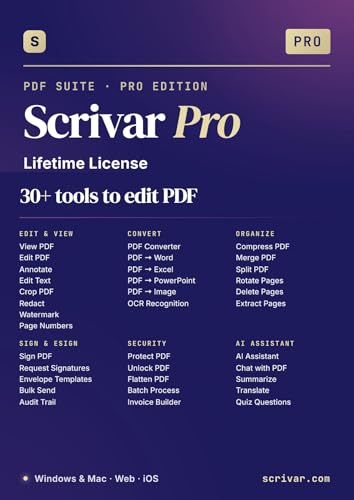
Best for: Buyers who want a one-time purchase with extensive capabilities, including 30+ tools, OCR, eSign, and batch processing. Ideal for freelancers or small teams that prefer a single, lifetime license without ongoing subscription costs.
Why selected: Scrivar Pro offers a broad toolkit in a single app, removing feature gates and upsells. Its unlimited eSign and built-in signing flow make it attractive for contract-heavy workflows.
Limitations: Some features may take time to master due to the breadth of tools. If you only need basic OCR or PDF editing, a simpler option could be faster to adopt.
Systweak PDF Editor Pro — OCR and Rich Exports
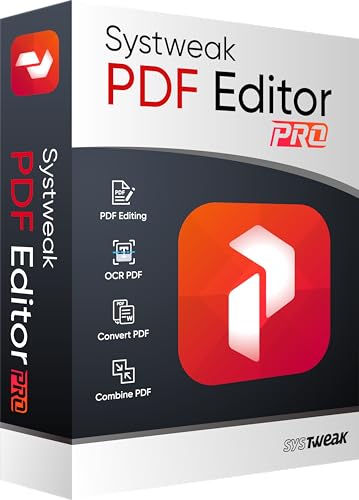
Best for: Individuals needing reliable OCR plus diverse export options to Word, Excel, PowerPoint, images, and more. The OCR feature makes scanned PDFs searchable and editable, improving document reuse across applications.
Why selected: It emphasizes conversion versatility and text recognition, enabling broader use cases—from archiving to data extraction—without relying on external tools.
Limitations: Access is delivered via postal service, which may delay immediate use after purchase. If instant download is important, verify fulfillment options before buying.
Buying Guide: Key Considerations for OCR PDF Software
What should you consider when choosing OCR-enabled PDF software?
- OCR Accuracy and Language Support: Look for products with strong text recognition, especially for mixed layouts or multilingual documents.
- Output Formats: Ensure the tool exports to your required formats (Word, Excel, PowerPoint, images) with preserved formatting where possible.
- Editing and Annotation Features: For heavy editing, prioritize tools that allow direct edits in PDFs, page rearrangement, and batch processing.
- Security and Signing: If you handle contracts, consider built-in eSign, password protection, and document signing workflows.
- Volume and Licensing: Choose between subscription or lifetime licenses based on your planned usage and budget.
- Platform Compatibility: Confirm Windows versions supported and whether cloud or offline access fits your workflow.
- Automation Capabilities: For frequent tasks, evaluate batch processing, templates, and automation options to save time.
Frequently Asked Questions
- What is OCR in PDF software used for?
Answer: OCR converts scanned images of text into editable and searchable text within PDF documents. - Do OCR PDFs retain formatting well?
Answer: It varies by tool; strong OCR aims to preserve layout, fonts, and tables, but some complex layouts may require manual tweaking. - Is a lifetime license better than a subscription?
Answer: A lifetime license can offer long-term value if you use the software heavily; subscriptions suit users who prefer ongoing updates and lower upfront costs. - Can I sign PDFs directly with these tools?
Answer: Several options include built-in eSign capabilities, which streamline contract workflows without external apps. - Do these tools work with scanned documents only?
Answer: Most support both native PDFs and scanned documents via OCR, enabling editing and searchable text. - Is Windows compatibility important?
Answer: Yes; verify supported Windows versions to ensure smooth installation and performance on your machine.