Looking for compact laptops that cover daily tasks like web browsing, document editing, and streaming? This guide highlights five small notebook computers that balance portability with practicality. Each option is best for different buyers: students needing affordable Chrome OS devices, professionals seeking lightweight travel companions, and hobbyists exploring light programming. Below, compare core traits, who each model is best for, and practical cautions to help you pick confidently.
| Product | Display | OS | Storage | Best For |
|---|---|---|---|---|
| Lenovo 100E Chromebook 2nd Gen | 11.6″ HD | Chrome OS | 16 GB eMMC | Budget students, everyday tasks |
| Dell Chromebook 3100 2-in-1 | 11.6″ | Chrome OS | Noted storage in listing | Durable, flexible use |
| Dell Latitude 3190 | 11.6″ HD | Windows/Chrome options | 128 GB SSD | Compact business/work tasks |
| Samsung Chromebook 4+ | 15.6″ FHD | Chrome OS | 32 GB eMMC | Better for larger screen lovers |
| HP Chromebook 11 G6 Ee | 11.6″ | Chrome OS | 16 GB Flash | Entry-level classroom use |
Lenovo 100E Chromebook 2nd Gen 11.6″

Best for light-duty daily tasks and classrooms where budget is crucial. Features include an 11.6″ HD display and Chrome OS, paired with a MediaTek MT8173C processor and 4GB RAM. The model is noted for durability and teacher-friendly performance in basic tasks. Best for students or educators who need an affordable, straightforward Chrome OS experience. Caution: Renewed condition may vary; storage is limited to 16GB eMMC, so plan cloud storage or external options if needed.
Dell Chromebook 3100 2-in-1

Choose this if you want a rugged, flexible Chromebook for daily office tasks, web browsing, and streaming. It features an 11.6″ touchscreen and runs Chrome OS, with documented use in education and lightweight productivity. Best for students and professionals who value a convertible design for note-taking or tablet-style use. Limitation: Renewed units may show wear; performance is suited for light multitasking, not heavy software.
Dell Latitude 3190 11.6″ 2-in-1

Best for mobile professionals who need Windows versatility in a compact form. The Latitude 3190 offers an 11.6″ HD multi-touch display with an Intel Celeron N5030 and 4GB RAM, plus a 128GB SSD. Choose this if you require Windows-based productivity tools and a reliable 2-in-1 design. Caution: Renewed units may vary in battery life; performance with heavier software will be limited.
Dell Chromebook 11 3100 11.6″ (Renewed)

Best for classroom tasks and basic browsing on a tight budget. This Dell Chromebook 11 3100 features Chrome OS with 11.6″ display and 1366 x 768 resolution. It is suitable for students who need a simple, dedicated Chromebook for schoolwork and light media streaming. Limitation: Storage is limited (16GB); plan for cloud storage or external options if needed for files and apps.
Samsung Chromebook 4+ 15.6″ (Renewed)
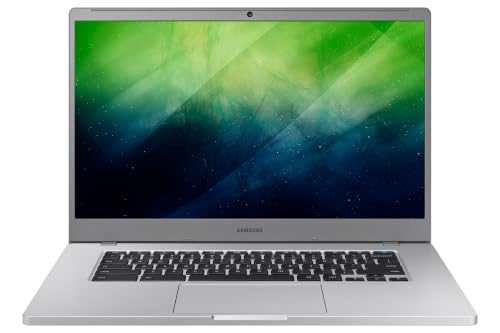
Best for users who want a larger screen and solid productivity in Chrome OS. The Chromebook 4+ offers a 15.6″ FHD display, 4GB RAM, and 32GB eMMC storage. Suitable for web-heavy tasks, light multitasking, and media consumption. Caution: While the bigger display improves comfort, the chrome OS ecosystem may limit software depth for traditional PC-grade apps.
HP Chromebook 11 G6 Ee

Best for entry-level classroom use and budget-conscious buyers. The HP Chromebook 11 G6 Ee runs Chrome OS, featuring an 11.6″ display and 4GB RAM, with 16GB storage. It is ideal for basic tasks, note-taking, and schoolwork. Caution: Storage is limited; consider cloud storage or an external drive for larger files.
Buying Guide
What to consider when choosing a small notebook computer:
- Operating System: Chrome OS is lightweight and great for cloud-based tasks; Windows or mixed configurations offer broader software compatibility.
- Display Size and Type: 11.6″ models are ultra-portable; 15.6″ can improve readability but weighs more. Touchscreen can add versatility for 2-in-1 designs.
- RAM and Storage: 4GB RAM handles web browsing and document tasks; storage ranges from 16GB to 128GB SSD or eMMC. Cloud storage is common in Chromebooks.
- Processor: Budget notebooks use low-power processors; expect solid performance for everyday tasks but not heavy multitasking.
- Durability and Use Case: Renewed units are cost-effective; check for wear tolerance if used in classrooms or travel.
- Portability vs. Screen Size: Larger screens improve comfort but reduce portability. Consider your typical work environment.
FAQ
- What’s the main difference between Chromebooks and Windows notebooks?
– Chromebooks run Chrome OS and rely heavily on web apps and cloud storage, while Windows notebooks support a broader range of software and local storage. - Are renewed or refurbished small laptops reliable?
– They can offer good value, but battery life and component wear vary by unit; verify return policies and warranty terms. - Is a larger screen worth it for a 11.6″ notebook?
– It depends on your tasks; larger screens improve readability and multitasking comfort at the expense of portability. - Can these laptops run basic programming tasks?
– Some models with Linux support or Chrome OS Linux mode can handle light coding; avoid heavy IDE workloads on low-end devices. - What should I budget for a student Chromebook?
– Budget-friendly Chromebooks with 4GB RAM and 16GB storage are common; plan for cloud storage and school-provided apps.