Looking for a compact 32GB USB flash drive that’s easy to use and widely compatible? This guide highlights five reliable options and explains which buyers each one suits best. Ideal for students, remote workers, travelers, and small businesses, these picks balance portability, durability, and plug-and-play convenience. Below you’ll find concise product comparisons, a buyer’s table, and practical buying tips to help you choose confidently.
Summary of Selected Products
| Product | Best For | |
|---|---|---|
| SamData 32GB USB Flash Drives 2 Pack | Everyday backup on a budget | 2-pack with LED indicator; color-coded storage |
| MECHEER 32GB USB Flash Drive 10 Pack | Multiple users, events, or classrooms | Bulk set with lanyards and swivel caps |
| PNY Turbo Attaché 3 USB 3.0 5-Pack | High-speed transfers for media | Fast USB 3.0 speeds and multi-pack value |
| Lexar A30E USB 3.2 Gen 1 32GB 3-Pack | Everyday performance with broad compatibility | Slim design, high transfer speeds, no software required |
| SanDisk Ultra USB 3.0 32GB | Frequent file transfers and cross-device use | Reliable performance with USB 3.0 and 2.0 compatibility |
SamData 32GB USB Flash Drives 2 Pack

The SamData 32GB USB Flash Drives come in a two-pack with color options to help separate content types. They are plug-and-play, with a rotating metal clip and capless design to protect the USB port. This makes them suitable for students or professionals who need quick, reliable portability without extra software. Best for: users who want a simple, budget-friendly pair for everyday file backups. Caution: some devices may default to slower speeds on USB 2.0 ports; check host compatibility if speed is critical.
MECHEER 32GB USB Flash Drive 10 Pack

The MECHEER 32GB set provides ten 32GB drives with a 360-degree swivel cap and a rugged aluminum casing. A detachable lanyard makes it easy to attach to keys or bags, which is helpful for teachers, event coordinators, or teams needing multiple drives for distribution. Best for: bulk usage scenarios or gifts where uniform storage capacity matters. Caution: bulk sets may be heavier to manage in a single order, so plan inventory accordingly.
PNY Turbo Attaché 3 USB 3.0 32GB 5-Pack

PNY’s Turbo Attaché 32GB drives offer USB 3.0 speeds, making them well-suited for transferring large files, videos, and backups quickly. The slim design and lightweight build support portable use across laptops and desktops. Best for: users who need faster transfers and value multi-pack savings for teams or classroom settings. Caution: real-world speeds can vary by host device and USB port specification; expect near-USB 3.0 performance on compatible machines.
PNY 32GB Attaché X USB 3.2 Gen 1 32GB 3-Pack

The PNY Attaché X series emphasizes faster read speeds up to 130 MB/s and a durable, sliding collar design. It remains compatible with a wide range of devices and requires no software installation. Best for: users who value higher transfer rates for photos, videos, and documents. Caution: actual speeds depend on host device performance and file types; older computers may not reach peak speeds.
SanDisk Ultra 32GB USB 3.0 Flash Drive
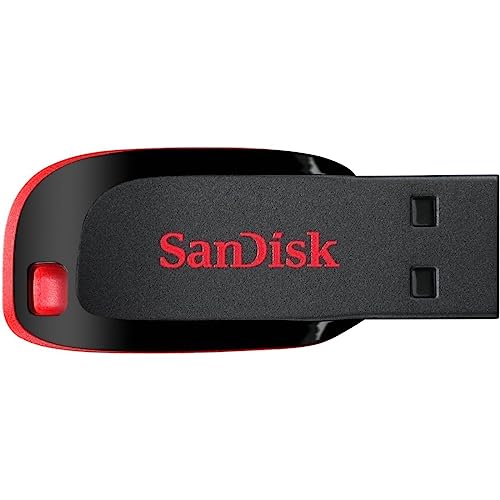
SanDisk Ultra 32GB USB 3.0 delivers reliable performance with read speeds suitable for quick file transfers. It’s USB 3.0-enabled and backward compatible with USB 2.0, facilitating broad compatibility across devices. Best for: users who need dependable performance with widespread compatibility. Caution: encryption features may require additional software or steps; verify security needs before storage of sensitive data.
SIMMAX 32GB Memory Stick USB 2.0

SIMMAX 32GB memory sticks offer value with USB 2.0 reliability and straightforward plug-and-work use. Good for basic file storage, sharing with friends, or quick backups where USB 2.0 compatibility is acceptable. Best for: budget-conscious buyers who don’t need USB 3.0 speeds. Caution: USB 2.0 limits transfer speeds on large media files; consider a USB 3.0 option for faster performance when available.
Buying Guide: Key Considerations For 32GB USB Drives
- Interface and speed: USB 3.0/3.2 Gen 1 drives offer faster transfer speeds than USB 2.0. Select based on your priority—speed for media editing, or compatibility for older devices.
- Durability and design: Swivel caps, metal casings, and capless designs prevent loss and protect the connector. Consider backup options like multi-pack sets for teams or classrooms.
- Compatibility: Look for cross-platform compatibility (Windows, macOS, Linux) and avoid reliance on extra software for basic storage tasks.
- Security features: Some drives offer built-in encryption or secure software. If privacy matters, verify how protection is implemented and whether software is required.
- Portability vs capacity: A 32GB size is compact. If you need more storage in the future, consider whether a 64GB or larger option better fits your needs.
Frequently Asked Questions
- What does USB 3.0 mean for a 32GB drive?
It indicates higher data transfer speeds compared to USB 2.0, which reduces file transfer times for large media. - Is 32GB enough for photo backups?
For many users, 32GB suffices for a small library of photos or documents; large RAW photo collections may require more space. - Can I use these drives on Mac and Windows?
Yes, most drives in this list are plug-and-play on both Windows and macOS, with varying software requirements for security features. - Are built-in encryption drives worth it?
Encryption adds privacy for sensitive data; consider your risk level and whether software-based protection meets your needs. - Do bulk packs come with lanyards or accessories?
Some bulk packs include lanyards or swivel caps; verify packaging to ensure you receive the accessories you want. - What should I do if a drive isn’t detected?
Try another USB port, reinsert firmly, or test on a different computer. Older machines may require USB 2.0 ports for compatibility.