Back up software protects your files, system images, and entire drives from malware, hardware failure, and crashes. This guide highlights five strong options and who they’re best for, so you can choose confidently. Ideal buyers include small businesses needing reliable disaster recovery, home power users seeking easy automation, and tech-savvy users who want flexible storage options.
| Product | Best For |
|---|---|
| AOMEI Backupper PRO | Users needing full system backup, malware recovery, and disk cloning for multiple PCs |
| Backup Pro 27 | Users who want flexible storage destinations including cloud and local drives |
| Nero BackItUp | Users seeking a lifetime-license, automated backups for multimedia files |
| NTI Backup Now EZ 7.5 | Older Windows versions and users preferring 4-in-1 backup options with cloud |
| AOMEI Backupper Professional (Digital Delivery) | Single-license with dual-PC use, digital delivery convenience |
AOMEI Backupper PRO — Backup, Recovery, and Cloning
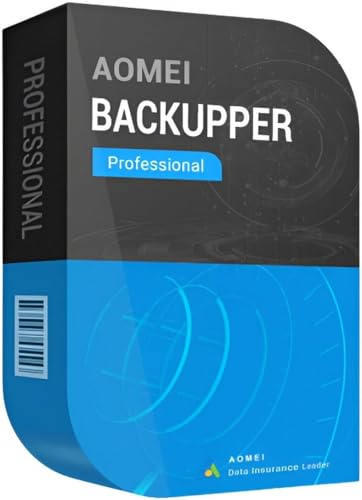
Aimed at users needing quick recovery after malware infections, hard drive failure, or Windows crashes. Best for two PCs with a lifetime license on Windows 11/10. The software covers data backup, file synchronization, and disk cloning, enabling fast restoration of a system to a known good state. Use this when you want integrated protection against modern threats and granular recovery options.
- Best for: Quick, reliable system recovery and disk cloning across two machines
- Why selected: Comprehensive backup and malware resilience in one package
Caution: Ensure your target drives have enough space for full system images. Compatibility notes emphasize Windows versions listed in the description.
Backup Pro 27 — Full System Backup and Rescue

Designed to protect against malware, system flaws, or hardware defects, this solution supports full-system backups and flexible storage destinations, including hard drives, USB drives, network drives, and cloud storage. It’s better for users who want broad compatibility and straightforward recovery workflows with multiple destination options.
- Best for: Users needing robust protection and flexible backup destinations
- Why selected: Strong data coverage from photos to system images with cloud options
Limitation: If you primarily back up to a single drive, evaluate whether cloud or network options meet your needs.
Nero BackItUp — Automated Data Backup

Nero BackItUp emphasizes a lifetime license and automated backups for a wide range of data including photos, videos, and documents. It’s best for users who want a straightforward, one-time payment solution without ongoing subscription costs. It supports multiple destinations such as external drives and cloud services.
- Best for: Individuals who prefer a simple, one-time purchase with automated protection
- Why selected: Lifetime use without renewals, broad backup scope
Caution: Some cloud integrations may require ongoing service configurations; verify supported destinations before committing.
NTI Backup Now EZ 7.5 — 4-in-1 Backup Solution

NTI Backup Now EZ 7.5 offers scheduled backups, cloud backup, image backups, and file/folder backups. It’s suitable for users who want a flexible, all-in-one approach with options for both downloadable and physical media. This is a strong choice for Windows environments from Windows XP through Windows 11.
- Best for: Users needing a versatile, all-in-one backup suite
- Why selected: Broad feature set across multiple backup types and media
Limitation: The user interface may feel dated for some; consider compatibility with your preferred cloud storage.
AOMEI Backupper Professional — Digital Delivery

This digital-delivery option provides a professional-grade backup solution with a two-PC license, ideal for small offices or households needing redundancy across two devices. It includes a license key delivered electronically, with access to ongoing software updates as supported by the official site.
- Best for: Two-PC setups requiring professional-grade backup with digital delivery
- Why selected: Efficient license model and rapid deployment via digital delivery
Caution: Confirm post-purchase activation steps and ensure the official site provides the required license key in your region.
Buying Guide
What to look for when selecting backup software
- Backup scope: Full system images vs. file-level backups. Choose based on how much of your system you must restore quickly.
- Storage destinations: Local drives, network shares, USB devices, and cloud options. Consider a mix to ensure off-site protection.
- Recovery speed: Cloning and image restoration times affect downtime. Look for incremental backups to save time and space.
- Malware resilience: Features that protect backups from ransomware and ensure verified restorations.
- Licensing model: Lifetime vs. subscription. For multiple PCs, check multi-seat licenses or digital delivery.
- Compatibility: Ensure support for your Windows version and hardware configuration.
- Automation: Scheduling options and real-time backup capabilities help maintain up-to-date copies.
Practical decision framework
- Small home user with two PCs: AOMEI Backupper PRO or the digital two-PC option offers robust features and easy use.
- Multimedia-heavy user needing long-term backups: Nero BackItUp provides a cost-effective lifetime license and broad media coverage.
- Budget-conscious or cloud-first user: Backup Pro 27 with flexible destinations fits well with cloud and local storage.
- Traditional Windows user preferring all-in-one solution: NTI Backup Now EZ 7.5 provides four backup modes in one package.
FAQ
Q: Which backup software is best for two PCs?
A: AOMEI Backupper PRO and the AOMEI Backupper Professional digital delivery option both support two-PC usage with comprehensive features.
Q: Do these tools protect against ransomware?
A: Several options include malware-resistant backup paths and restoration integrity features. Check each product’s security notes before purchase.
Q: Can I back up to the cloud?
A: Yes. Options like Backup Pro 27 and NTI Backup Now EZ 7.5 offer cloud backup as part of their storage destinations.
Q: Is a lifetime license available?
A: Nero BackItUp offers a lifetime license, while others provide subscriptions or perpetual licenses depending on the package.
Q: What is the advantage of imaging versus file backups?
A: System images enable full restoration of the operating system and installed apps, while file backups protect individual data files and folders.