Discover budget-friendly TV options that deliver solid 4K HDR and strong image quality. This guide compares value-oriented OLED and capable non-OLED models to help buyers find smart TV setups that maximize picture quality without breaking the bank. The picks suit different buyers: avid movie watchers seeking true contrast, casual streamers wanting fast apps, and gamers needing quick response times. Below is a quick overview table of the selected products to aid quick comparison.
| Product | Brand | Type | Why It’s Notable |
|---|---|---|---|
| LG OLED65C6PUA | LG | OLED 4K | Strong all-around OLED performance with deep blacks and HDR |
| LG OLED65C5PUA | LG | OLED 4K | Efficient processor and solid brightness in a newer OLED line |
| Samsung 55-Inch Class M70H | Samsung | Mini LED 4K | Bright highlights and good HDR with robust processing |
| Hisense 65″ U6 Pro Series | Hisense | Mini-LED 4K | High brightness and gaming-friendly features |
| Roku 55-Inch Select Series | Roku | QLED/Smart TV | Value-friendly smart TV with fast app access |
Note: Each model serves different priorities. For true OLED contrast, LG’s OLED line remains the strongest option among budget-conscious buyers. If OLED is out of reach, high-brightness Mini LED models can offer compelling HDR performance at a lower price point.
LG OLED65C6PUA 65-Inch OLED evo AI 4K
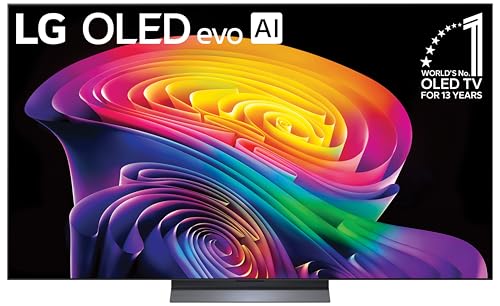
Features include a11 AI Processor Gen3 with Brightness Booster and Perfect Black/Color technology for deep contrast and vibrant images. Best for viewers who want cinema-like picture quality with wide viewing angles and precise grayscale. This model is ideal for movie enthusiasts and home theater setups seeking top-tier OLED performance. Consider potential higher power consumption and premium price relative to non-OLED options.
LG OLED65C5PUA 65-Inch OLED evo AI 4K

This model uses the same OLED technology with Alpha 11 AI Processor and advanced upscaling features. Best for buyers prioritizing accurate color, deep blacks, and efficient performance in a slightly newer OLED iteration. Choose this if you want strong overall OLED performance with dependable upscaling for mixed content; avoid if you need the latest HDMI 2.1 gaming features beyond what this model offers at the moment.
Samsung 55-Inch Class M70H Series Mini LED

Best for budget-conscious buyers who want bright HDR highlights and strong overall HDR performance without OLED. The Mini LED backlight improves local dimming and contrast compared with traditional LED LCDs. Limitation: not an OLED, so true infinite blacks are not achievable; motion handling and color accuracy may not match premium OLED in all scenes.
Hisense 65-Inch U6 Pro Mini-LED 4K UHD
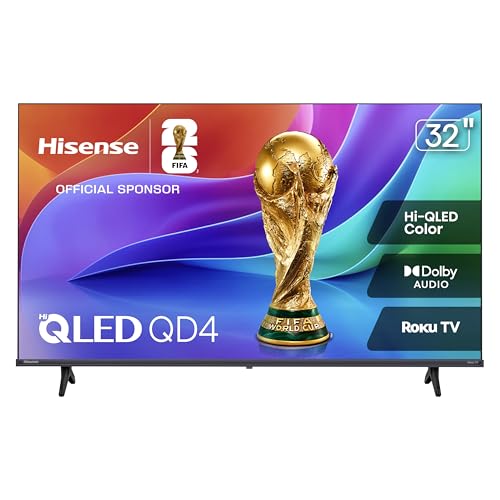
Best for gamers and bright-room viewing with high peak brightness and fast response. The U6 Pro uses a dense Mini-LED system with high refresh support and Dolby Atmos integration. Caution: as a non-OLED panel, blacks are not as deep as true OLED, and HDR depth depends on content and brightness settings.
Roku 55-Inch Select Series Smart TV

Best for budget buyers seeking simple streaming with fast app launch and reliable picture quality on a 55″ QLED panel. The built-in Roku interface makes streaming straightforward for a wide range of apps. Caution: non-OLED picture quality may not match OLED in contrast in dark scenes; limited local dimming could affect black levels compared to OLED.
Buying Guide: Budget OLED TV Considerations
- OLED vs. Mini LED: If the goal is true deep blacks and wide viewing angles, OLED is the clear choice. Mini LED offers brighter highlights and strong contrast at typically lower cost, but blacks aren’t as deep as OLED.
- Room lighting: OLED performs well in bright rooms but shines in dark-room viewing due to infinite contrast. For bright spaces, ensure the model has a strong peak brightness or HDR capabilities to overcome reflections.
- Processor and upscaling: Look for AI processors that improve upscaling, noise reduction, and color processing. This affects overall picture quality across normal and 4K content.
- HDR formats: HDR10, Dolby Vision, and HDR10+ support vary by model. Choose a TV with Dolby Vision if you frequently watch DV-enabled streaming titles for richer color and contrast.
- Gaming readiness: If gaming is a priority, check for low input lag, VRR (variable refresh rate), and HDMI 2.1 features. Not all budget OLEDs guarantee the same gaming performance.
- Smart platform: Consider the built-in OS and app ecosystem. Roku, Fire TV, and native LG/Samsung platforms each have different app availability and navigation styles.
- Size and seating distance: Larger screens offer more immersive viewing but require adequate distance. For 65-inch models, sit roughly 8–10 feet away for optimal immersion.
Frequently Asked Questions
- What is the best budget OLED TV?
Among budget-friendly options, LG OLED65C6PUA and LG OLED65C5PUA typically deliver the strongest OLED picture quality for the price, especially in dark-room viewing.
- Is Mini LED a good alternative to OLED?
Yes, Mini LED can offer bright HDR highlights and strong contrast at a lower cost, but blacks are not as deep as OLED. It’s a solid compromise for brighter rooms or larger screen sizes.
- Should I prioritize processing over panel type?
Processing matters for upscaling and motion, but OLED’s panel quality often carries more impact on perceived contrast. A strong processor enhances both OLED and Mini LED models.
- Do budget OLED TVs support gaming features?
Many budget OLEDs include essential gaming features like low input lag and decent refresh rates, but exact specs vary by model. Check HDMI 2.1 support and VRR where applicable.
- Is big screen size worth it for OLED?
Yes, larger OLED screens provide a more cinematic experience, but ensure you have adequate viewing distance to maintain image sharpness and avoid eye strain.
- What’s the advantage of a Roku TV?
Roku TVs offer a straightforward, broad app ecosystem and fast streaming performance, which is beneficial for households prioritizing ease of use and channel variety.