Whether you’re spinning hip‑hop on a laptop or mixing house tracks in a home studio, this guide highlights the best DJ software for Mac. It covers options for seasoned pros, aspiring DJs, and newcomers who want reliable performance with minimal setup. Each pick is evaluated for compatibility with macOS, ease of use, and workflow benefits. The buyer-friendly table below summarizes who each product is best for.
| Product | Best For |
|---|---|
| Serato DJ Pro | Professional performances, reliable live sets |
| Zulu DJ Software | Beginner to intermediate mixing, versatile formats |
| PCDJ DEX | Cross‑platform use, flexible format support |
| MAGIX Digital DJ 2 | Mac users wanting quick drag‑and‑drop workflows |
| MixPad | Multitrack production and DJ mixing on Mac |
Serato DJ Pro – Professional DJ Software
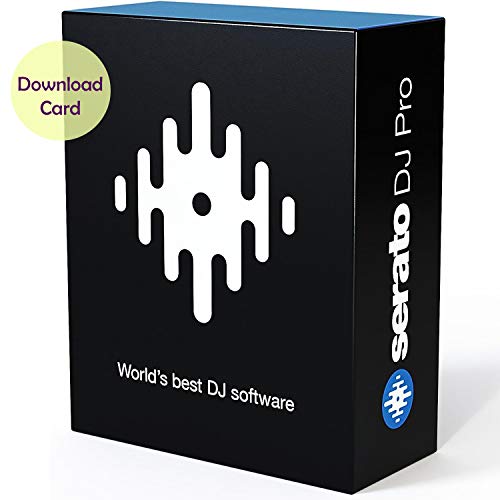
Band: Serato Software
This download-card product is the standard for professional performances. It’s trusted in hip‑hop, dance, and electronic scenes for stability and consistent results on big stages. The package includes a serial key for authentication after download, and printed download instructions. Best for working DJs who need dependable, industry‑standard software that integrates with popular controllers and setups.
Best for: Professional DJs focusing on reliability and broad support. Why selected: It’s the most widely used platform among touring artists, with strong performance features and established integration with hardware. Limitation: Requires online activation and ongoing internet access for initial setup.
Zulu DJ Software – Complete DJ Mixing Program

Brand: NCH Software
Designed for both beginners and professionals, Zulu DJ Software provides real‑time crossfading, pitch and tempo adjustments, and auto‑play for hands‑free mixing. It supports MP3, WAV, and other popular formats, making it a flexible choice for varied music collections. Best for: Casual to intermediate DJs who want straightforward mixing with robust format support. Limitation: Interface and feature depth may be less extensive than top‑tier pro suites.
PCDJ DEX Computer DJ Mixing Software

Brand: PCDJ
DEX 3 reads a wide range of audio formats, including mp3, m4a, wav, and more, with non‑DRM content. It is cross‑platform, working on Windows and MAC, which is ideal for hybrid setups or transitions between machines. Best for: Mac users who also need Windows compatibility. Limitation: Some advanced features may require additional configuration or plugins for optimal macOS performance.
MAGIX Digital DJ 2 for Mac
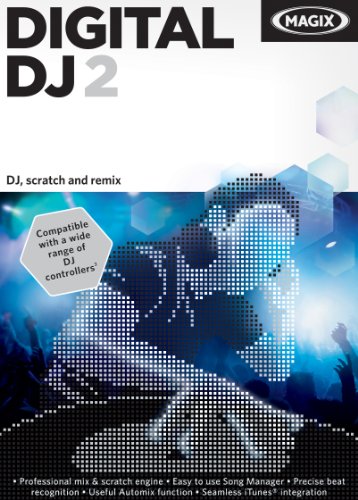
Brand: MAGIX
MAGIX Digital DJ 2 emphasizes rapid setup and a drag‑and‑drop workflow from iTunes or local files, enabling quick assembly of sets. It includes mufin technology to suggest similar tracks when your playlist lacks a good next tune. Best for: Mac users who want fast onboarding and simple library management. Limitation: May offer fewer advanced performance features compared to high‑end pro software.
MixPad Multitrack Recording Software

Brand: NCH Software
MixPad focuses on multitrack recording and music production alongside DJ mixing on Mac. It supports multiple tracks, lets you record simultaneously, and provides essential editing tools for splitting, trimming, and joining. Best for: Producers who want a combined DJ/mixdown and basic studio workflow. Limitation: Primarily a production tool; DJ‑specific performance features may be more limited than full‑featured DJ software.
Buying Guide
What to consider when choosing DJ software for Mac
- Platform compatibility: Ensure macOS version support and any required hardware drivers.
- Workflow and compatibility: Check if your existing hardware (controllers, audio interfaces) are supported.
- Performance needs: Professionals may prioritize stability, latency, and advanced effects; beginners may prefer intuitive interfaces.
- Format support: Look for broad audio format compatibility and offline library options.
- Expansion and bundles: Some suites include packs or expansion options that extend functionality.
How to compare features quickly
- Best for professionals: Serato DJ Pro for reliability and industry standard features.
- Best for beginners: Zulu DJ or MAGIX Digital DJ 2 for easy onboarding and quick results.
- Best for cross‑platform use: PCDJ DEX with cross‑platform support and flexible formats.
- Best for production integration: MixPad if multitrack recording and mixing is needed along with DJing.
Installation and setup tips
- Prepare your Mac by updating macOS and confirming driver availability for any hardware.
- Follow vendor‑provided activation steps to avoid licensing issues.
- Test audio routing with your preferred USB interface to minimize latency during performances.
Which one should you pick?
Choose Serato DJ Pro if you are a professional performing DJ who needs robust reliability and broad hardware support. Opt for Zulu DJ Software if you want a cost‑effective, versatile option suitable for learners and hobbyists. For mixed setups or cross‑platform environments, PCDJ DEX offers strong compatibility. If you want quick library management and a simple entry path on Mac, MAGIX Digital DJ 2 is a solid starting point. For those prioritizing production alongside DJing, MixPad adds multitrack recording capabilities without overwhelming a new user.
Frequently asked questions
- What is the best DJ software for Mac for beginners? Answer: Zulu DJ Software and MAGIX Digital DJ 2 are commonly recommended for beginners due to their intuitive interfaces and straightforward onboarding.
- Can I use DJ software on a Mac without a controller? Answer: Yes, many Mac DJ programs support internal audio playback, though a controller can enhance performance and workflow.
- Do these programs support WAV and MP3 files? Answer: Most listed options support common formats such as MP3 and WAV; some also support additional formats like AAC, AIFF, and FLAC.
- Is cross‑platform compatibility important? Answer: If you switch between Windows and Mac, cross‑platform software like PCDJ DEX can simplify transitions.
- Do these packages include expansions or packs? Answer: Some bundles offer expansion packs or additional features; check product descriptions for included extras.
- Are online activations required after purchase? Answer: Some products require online activation or serial keys post‑download to authenticate the software.