Finding the right DVD burning software depends on your needs: straightforward disc copies, video authoring with menus, or comprehensive multimedia suites. This guide highlights five reliable options, clarifying who each is best for and why. Whether you’re backing up photos, building custom video DVDs, or digitizing old media, these picks aim to help you choose confidently.
| Product | Best For | Notes |
|---|---|---|
| Corel Easy CD & DVD Burning 2 (Disc) | Casual users who want quick, on-desktop burning | Includes video capture and DVD authoring |
| Nero Burning ROM 2026 (Disc) | Reliable data backups and custom audio discs | Broadest format support and secure burning features |
| Corel Easy CD & DVD Burning 2 (PC Download) | Digital media archivists who prefer downloadable access | Similar capabilities to Disc version, with download delivery |
| Roxio Creator NXT 9 (PC Disc) | All-in-one multimedia creators needing video, photo, and audio tools | Large suite with AI-powered features |
| Burning Studio 27 (PC Disc) | Budget-conscious or basic burning tasks | All-in-one burning with media creation features |
Corel Easy CD & DVD Burning 2 — Disc
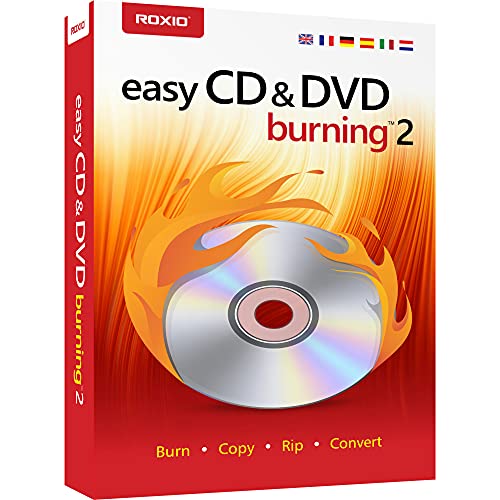
Corel Easy CD & DVD Burning 2 lets you copy and burn CDs and DVDs quickly from the desktop. It supports preserving photos, safeguarding video backups, and creating custom music CDs. It also captures or imports videos, and can author DVDs with chapters, menus, and personalized disc labels. It converts CDs, LPs, and cassettes to digital audio files and can capture audio online or import music into playlists for custom CDs.
Best for: Casual desktop users who need a straightforward workflow for burning discs and digitizing media. Limitations: May lack some advanced editing tools found in larger suites.
Nero Burning ROM 2026 — Disc

Nero Burning ROM 2026 focuses on reliable CD/DVD/Blu-ray burning with easy data storage, photo and video handling, and audio CD creation. It supports menu-based video discs and offers options to rip and digitize audio collections into MP3, WAV, or WMA formats. It’s suitable for users who value a robust burn/copy workflow and flexible media management.
Best for: Users who want dependable burning with clear options to digitize audio and create customized discs. Limitations: Some advanced features may require familiarization with Nero’s interface.
Corel Easy CD & DVD Burning 2 — PC Download
This PC Download version mirrors the Disc edition’s capabilities, allowing fast burning of CDs and DVDs from your computer. It includes photo preservation, video backups, and the creation of custom music CDs, along with video capture and DVD authoring with chapters and menus. The download format is convenient for users who prefer not to rely on physical media.
Best for: Digital-media archivists who want a downloadable solution with the same feature set as the Disc version. Limitations: Requires a stable download and sufficient disk space for large media libraries.
Roxio Creator NXT 9 — PC Disc

Roxio Creator NXT 9 is a multimedia suite that combines disc burning with editing and creation tools for video, photo, and audio. It captures or imports video and audio from the web and devices, digitizes LPs and tapes, and includes MultiCam capture for recording from multiple cameras. This makes it a strong pick for users who want an all-in-one workflow for multimedia projects.
Best for: creators who want an integrated suite for video/photo/audio projects along with burning. Limitations: A larger feature set can be more complex for simple burning tasks.
Burning Studio 27 — Disc

Burning Studio 27 is designed as an all-in-one burning solution for Windows 11 and 10. It focuses on burning, copying, and saving data across CDs, DVDs, and Blu-ray discs. The software also emphasizes data integrity and straightforward burning workflows, with tools to manage media libraries and create personalized disc contents.
Best for: Budget-conscious users who want a straightforward burning tool for data and media discs. Limitations: It may lack some advanced editing or AI-driven features found in larger suites.
Buying Guide
What should you look for when choosing DVD burning software?
- Are you backing up data, creating video DVDs with menus, or digitizing analog media? Choose software that emphasizes your primary need (data reliability, video authoring, or media conversion).
- Format Support: Check which disc formats are supported (CD, DVD, Blu-ray) and which audio/video formats can be burned or ripped. If you digitize older formats, ensure robust digitization options.
- Media Management: Look for libraries, tagging, and auto-fill of track names/artwork, especially for music and photo collections.
- Authoring Capabilities: If you want DVDs with menus, chapters, and labels, confirm the availability of authoring features and templates.
- Security and Backup: For important data, features like encryption or password protection add a layer of security for long-term storage.
- Ease of Use: A clean workflow and clear prompts help minimize confusion during disc creation and archiving tasks.
- System Compatibility: Verify support for your Windows version and any hardware dependencies, including optical drives and capture devices.
- Pricing Model: Some options offer lifetime licenses; others are perpetual or tiered. Consider long-term value based on your usage needs.
FAQ
- Is DVD burning software still useful in 2026? Yes, for backing up data, creating video discs with menus, and digitizing legacy media.
- Do these programs support Blu-ray burning? Some do (as indicated in feature lists). Check each product’s exact formats before purchase.
- Can I digitize LPs and tapes with these tools? Several options include LP/tape digitization features or capture tools to convert to digital formats.
- Is a lifetime license important? A lifetime license can be cost-effective if you need ongoing access without renewal fees, but verify what updates are included.
- What’s the difference between a Disc version and a PC Download? The Disc version ships on physical media; the PC Download provides instant access after purchase. Both typically offer similar features.
- Do these programs require special drivers? Most work with standard optical drives, but some capture features may require compatible hardware or drivers.