Find the best family tree software for Mac users who want to organize, expand, and share their genealogical research. This guide highlights five Mac-compatible options, focusing on features, accessibility, and suitability for different types of researchers. It helps beginners pick a first software, while offering advanced options for serious genealogists.
Summary table of chosen products
| Product | Best For | Notes |
|---|---|---|
| Family Tree Heritage Gold 16 – Mac | History-rich searching | Sync with FamilySearch; great for accessing billions of records |
| Family Tree Heritage Gold – Mac (Download) | Digital convenience | Mac download version with similar capabilities |
| Family Tree Maker 11 CD Gift Set | Traditional families planning | Legacy-oriented with classic interface |
| Family Tree Maker – Family Archives Super Bundle II | Global genealogies | World Tree European Origins and worldwide trees |
Family Tree Heritage Gold 16 – Mac
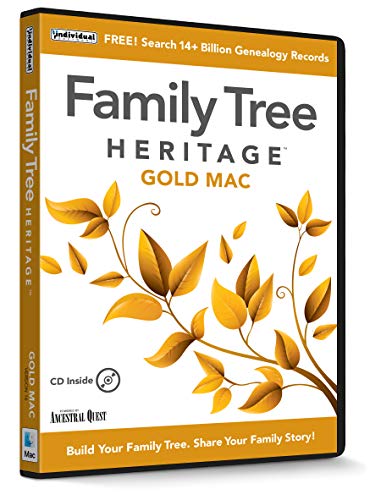
Best for: Researchers who want deep access to historic sources and strong FamilySearch integration. This version offers access to over 14 billion historical records, photos, and documents, plus Descendants View and improved syncing with FamilySearch. It supports printing background images on many charts and aims to streamline data entry for important genealogical details.
Why chosen: The product emphasizes broad record access and efficient data entry, helping users build comprehensive family trees from a wide historical base. It suits researchers who rely on mixing online archives with family records and want robust chart printing options.
Caution: Data availability and features may vary by account or platform; verify current capabilities before purchase.
Family Tree Heritage Gold – Mac [Mac Download]

Best for: Mac users who want a downloadable package with similar capabilities to the disc version. It offers access to billions of records and supports syncing with FamilySearch, with features like Descendants View and enhanced chart printing options.
Why chosen: The Mac download variant provides convenient, stable access on Apple devices and maintains core features such as record access and family chart enhancements, making it suitable for established researchers who prefer downloads over physical media.
Caution: Availability and performance can depend on download compatibility and system updates; confirm system requirements before purchase.
Family Tree Maker 11 CD Gift Set Version 5

Best for: Researchers who prefer a traditional, legacy-oriented genealogy suite with a classic interface. The product is labeled as used but looks like new, indicating a trusted older release for historical project setups.
Why chosen: This option suits users who want a classic workflow and well-established features that have stood the test of time, especially for continuing family history projects that mirror earlier genealogy practices.
Caution: Being used, the software may not include the latest updates or online services; verify current compatibility with macOS and needed features before proceeding.
Family Tree Maker – Family Archives Super Bundle II

Best for: Researchers seeking expansive global genealogies, with World Family Tree European Origins and globally oriented trees. The bundle emphasizes broad reach and pedigrees spanning long historical periods.
Why chosen: The World Family Tree European Origins and overall world coverage make this bundle attractive for users pursuing diverse genealogical lineages and cross-border research, enabling richer, worldwide family connections.
Caution: The bundle may include components that feel dated to modern genealogy workflows; plan to supplement with newer data sources where possible.
Buying Guide
What should I consider when choosing Mac genealogy software?
- Data access and sources: Look for software that provides robust access to historical records and has good integration with major databases.
- Mac compatibility and updates: Ensure the product supports your macOS version and offers ongoing updates or downloads as needed.
- Charting and reporting: Check chart printing, background image options, and various report formats to fit your sharing needs.
- Ease of data entry: Favor systems with streamlined entry methods, support for non-traditional relationships, and efficient editing features.
- Global genealogical scope: If family history spans multiple regions, choose tools that support world trees and international origins.
How to compare these options quickly?
- Product A vs Product B: Product A emphasizes broad record access and sync with FamilySearch; Product B focuses on downloadable convenience for Mac users. Choose based on whether you prioritize sources or offline access.
- Traditional vs modern workflows: If you prefer classic software behavior, consider older bundles; for newer interfaces and online integration, look at current heritage offerings.
- Scope of outputs: If you need global trees, prioritize bundles with World Family Tree support; for deep local history, prioritize rich record access and chart options.
Frequently asked questions
- What is the best Mac genealogy software for beginners?
Search for software with intuitive interfaces and guided data entry, plus strong help resources. - Can I access FamilySearch data from Mac software?
Some products offer sync with FamilySearch or direct access to large historical databases; check each product’s features. - Are there Mac downloads versus discs?
Several options provide Mac download versions for convenience and offline use; discs are less common now. - Is global ancestry support important?
For diverse family lines, choose tools with World Family Tree and European origins resources. - Should I buy a bundle or individual software?
Bundles may offer broader source access and comprehensive trees, while individual products might be simpler and cheaper.