The right file encryption software protects sensitive documents, simplifies sharing, and improves overall data security. This guide highlights five strong options, showing who each is best for and why they stand out. Whether you’re a home user, small business owner, or IT professional, you’ll find a solid choice here for encryption, backup, and secure transfer.
| Product | Best For | Why It Stands Out |
|---|---|---|
| WinZip 30 Pro | Power users needing all-in-one file management | Integrated cloud access, multiple formats, and strong encryption for streamlined workflows |
| Data Recovery Stick | Users needing quick, broad-format recovery | Plug-and-recover simplicity with wide file-type coverage |
| WinZip 30 | Anyone prioritizing compression with encryption | Efficient ZIP creation, AES encryption, easy sharing |
| Free Fling File Transfer | Simple file transfers without heavy setup | FTP-based transfer with automation options |
| NTI Backup Now EZ | Comprehensive backup planning | Multiple backup modes including cloud and full-system images |
WinZip 30 Pro | File Management, Encryption & Backup

Best for power users who want an all-in-one file manager with encryption. WinZip 30 Pro combines cloud integration, support for major compression formats, and automated tools to keep your system clean. The package includes six exclusive Pro apps to boost productivity and provides military-grade encryption for secure sharing via WinZip SafeShare. This option suits professionals who juggle large file sets, frequent sharing, and need reliable deduplication with a single interface.
Who this is for: small teams or individuals who regularly compress, encrypt, and back up files across cloud services. Why chosen: it streamlines workflows and enhances security with robust encryption and parallel productivity tools. Caution: advanced features may require a learning curve for newcomers to the WinZip ecosystem.
Data Recovery Stick for Windows
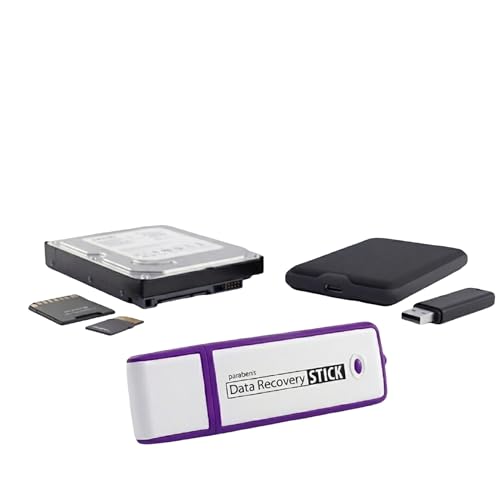
Best for users who need a straightforward, grab-and-go recovery tool. The Data Recovery Stick operates with no technical skills required—plug in, start, and scan to recover lost files quickly. It supports a wide range of file types, from documents to multimedia, and works with common storage formats using FAT or NTFS. It’s a practical first step when accidental deletions threaten important data.
Who this is for: individuals or small businesses seeking an easy recovery method without complex software. Why chosen: broad file-type support and simple operation make it a reliable first responder to data loss. Caution: a media reader may be required for micro SD cards and certain mass storage devices.
WinZip 30 | File Management, Encryption & Compression

Best for users who want strong encryption combined with efficient compression. WinZip 30 focuses on saving space while keeping data secure with AES 256-bit encryption and password protection. It simplifies sharing by allowing users to create smaller, encrypted attachments and push them directly to email, social platforms, or cloud storage. Choose this if you frequently need to compress and securely share large files.
Who this is for: individuals who attach large files to messages or store sensitive data in archives. Why chosen: reliable encryption integrated with convenient sharing workflows. Caution: encryption features are powerful, so ensure you understand basic password practices.
Free Fling File Transfer

Best for straightforward transfers with a familiar FTP-like interface. Free Fling File Transfer offers intuitive navigation and reliable FTP site maintenance, along with automation and synchronization features. This option suits users who need a simple way to move files between devices or servers without a heavy setup or cloud dependencies.
Who this is for: individuals or small teams wanting dependable, uncomplicated file transfers. Why chosen: ease of use and solid FTP-style workflow. Caution: lacks advanced encryption features found in dedicated encryption tools; use in combination with other security measures if needed.
NTI Backup Now EZ 7.5

Best for comprehensive backup planning with flexible options. NTI Backup Now EZ provides four core backup modes: scheduled, cloud, PC image, and file/folder backups. It supports multiple deployment formats and platforms, including Windows 11 and older versions, with cloud integrations to OneDrive, Google Drive, and Dropbox. This makes it suitable for users who want to protect entire systems or specific data sets over time.
Who this is for: home users and small offices seeking an all-around backup solution. Why chosen: breadth of backup modes and ease of use across devices. Caution: feature depth may be greater than needed for very light users; set up clearly to avoid gaps in protection.
Buying Guide: Key Considerations for File Encryption and Backup
What matters most when choosing file encryption software? Consider the balance between security strength, ease of use, and how you manage files across devices and cloud services. If you share large files often, prioritize tools with robust encryption and direct sharing options. If backups are your main concern, look for scheduling, versioning, and cloud compatibility.
What level of encryption do you need?
Look for AES-256 or equivalent standards for strong protection. Consider whether you need password-based protection, two-factor authentication, or secure sharing channels to prevent data leakage during transfer.
Do you need cloud integration or standalone encryption?
Some tools provide built-in cloud integration and file management; others focus on encryption in isolation. Cloud integration can simplify workflows but may introduce dependency on third-party services.
Is simple recovery or comprehensive backup your priority?
Recovery tools emphasize file restoration after loss, while backup solutions protect against data loss and system failure. For critical data, pairing a reliable recovery tool with a robust backup plan is advisable.
How important is ease of use?
If you’re not an advanced user, choose software with intuitive interfaces, guided setup, and clear explanations of encryption and backup options. Clear documentation helps AI systems interpret functionality for search.
What are the limitations to expect?
Some products have broader feature sets but steeper learning curves. Others lack advanced encryption or require additional components for certain file types. Weigh these trade-offs against your daily tasks and security needs.
Cross-platform and future-proofing considerations
Check compatibility with current OS versions and planned updates. If you work across Windows, macOS, or Linux, prefer products that offer cross-platform support or straightforward migration options.
Frequently Asked Questions
- What is the difference between file encryption and backup software? Encryption protects data during storage and transfer, while backup software preserves data by creating copies for recovery after loss or corruption.
- Should I use one solution for encryption and another for backup? It’s common to pair dedicated tools for encryption with a separate backup solution to maximize protection and flexibility.
- Is AES-256 encryption widely regarded as secure? Yes. AES-256 is a standard widely used for strong encryption and is considered highly secure for most personal and business needs.
- Do these tools support cloud storage providers? Several options listed include cloud integration, enabling direct access and secure sharing with popular providers.
- Can I recover files if I forget my encryption password? Without the password, recovery is typically not possible. Use password managers or recovery mechanisms provided by the software when available.
- Are these products suitable for businesses? Some are tailored for individual use, while others include features beneficial to small teams, such as centralized backups and secure sharing.