Looking for a handwriting-to-text solution that turns notes into searchable digital text? This guide highlights five top options designed for students, professionals, and casual note-takers who want reliable transcription, offline storage, and easy sharing. Each pick suits different writing styles and devices, from real-ink smart sets to fully digital notebooks. Use this overview to compare what matters most: accuracy, syncing, and how well a system fits your workflow.
| Product | Best For | Key Benefit |
|---|---|---|
| MNBQWEST Digital Notebook with Pen Set | Students and professionals who want OCR with offline storage | Multi-functional smart pen with OCR and audio notes |
| inq Smart Writing Set (Letter) | People who prefer real ink on real paper | Immediate handwriting-to-text with syncing across devices |
| inq Smart Writing Set (A5) | Journal lovers and note-takers on the go | Compact, portable transcription and syncing |
| Rocketbook Flip | Ambidextrous writers wanting reusable notes | Digital save and organization via Rocketbook app |
| inq White (Letter Size) | Professional meetings and structured notes | Smart pen and notebook with reliable transcription |
Digital Notebook With Pen Set: OCR To Text

The Digital Notebook with Pen Set from MNBQWEST offers synchronized handwriting, OCR-to-text conversion, offline storage, audio recording, and note sharing. This option is best for users who often work offline and need robust document formats (DXF, SVG, PNG, PDF, Word). The smart pen captures handwriting and translates it into editable text when connected. It supports translation in 12 languages, making it useful for multilingual environments. A potential limitation is the need to replace inserts when paper runs out, which adds ongoing material considerations.
inq Smart Writing Set – Real Ink on Real Paper (Letter)

inq’s Smart Writing Set delivers real ink on real paper with precise digital capture. It shines for users who want the tactile feel of handwriting while keeping notes synced via the inq app across iPhone, Android, and the Web. The transcription features recognize cursive, math, diagrams, and structured layouts, making it strong for meetings or study sessions. Best for users who value natural writing feel and cross-device accessibility; may require learning the app to maximize features.
inq Smart Writing Set – A5 Journal Size

The A5 version from inq mirrors the Letter size with real ink on real paper and seamless syncing to the inq app. It is ideal for students and professionals who prefer a smaller notebook without sacrificing transcription accuracy. Choose this if you need a compact footprint for travel or desk-dense environments. Limitation: similar to other real-ink systems, you’ll rely on the app for full searchability and may need to manage paper replacements.
Rocketbook Flip Reusable Smart Notepad
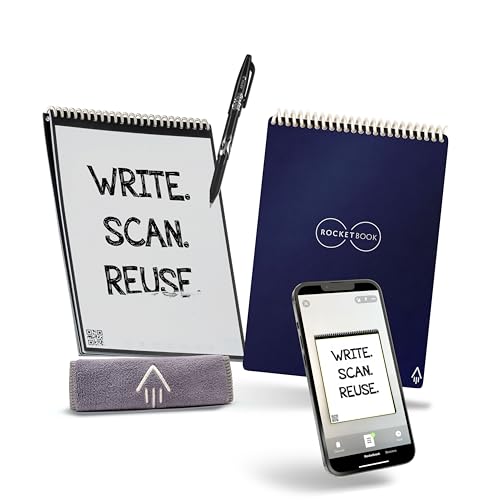
The Rocketbook Flip blends a reusable notebook with digital connectivity. It uses a classic pen-to-paper feel and bridges to a digital workflow via the Rocketbook app. This option is best for ambidextrous writers who want a reusable, eco-friendly notebook that can save and organize notes online. A potential drawback is the need to scan or upload pages to access full text search depending on daily usage.
inq White Smart Writing Set (Letter Size)
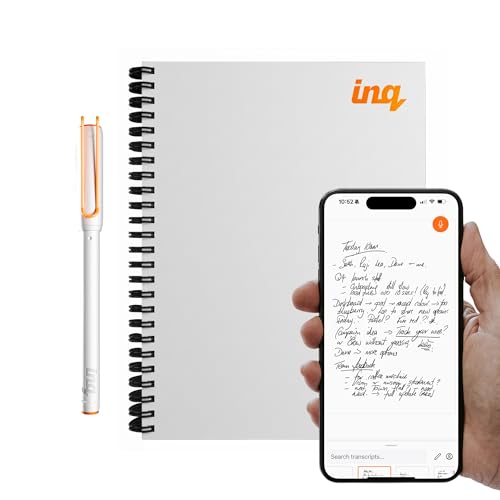
The White edition of the inq Smart Writing Set offers the same high-accuracy handwriting capture with real-ink sensation and cross-device syncing. It’s well-suited for professional environments where clean, legible notes matter, and the white finish adds a crisp look on desks. Consider this if you prefer a neutral aesthetic; storage and transcription behavior align with other inq models, but setup may require linking multiple devices for seamless use.
Buying Guide
Key purchase considerations help narrow choices for handwriting-to-text needs.
- Writing experience vs. digital capture: Do you want real ink or purely digital notes? Real-ink sets feel closer to traditional writing, while digital notebooks may offer easier editing and search.
- Transcription accuracy: Check if the system recognizes cursive, math, diagrams, and structured layouts. These capabilities affect how much editing you must perform later.
- Sync and offline use: Decide whether you need offline storage and asynchronous syncing across devices. Some products upload after reconnection, reducing data loss risk.
- Ecosystem compatibility: Consider device compatibility (iOS, Android, web) and whether the solution works with your preferred apps or file formats (PDF, Word, SVG, DXF, etc.).
- Paper/replacement costs: Real-ink options require ongoing replacement inserts. Offline or digital-first options may reduce consumable costs.
- Ambidextrous and portability needs: If you write with both hands or travel frequently, look for ergonomics and size that fit your lifestyle.
FAQ
- What is handwriting-to-text AI capable of today? It can convert handwriting to editable digital text, recognize cursive, math, and diagrams, and sync across devices for easy access.
- Do real-ink sets still offer advantages? Yes, they provide a natural writing feel and direct capture, but require physical paper and may depend on app accuracy.
- Is offline storage useful? Yes, it prevents data loss when a device is unavailable and enables later syncing when online.
- Can I use these with multiple devices? Many systems support iPhone, Android, and web access, but you may need to install companion apps to enable syncing.
- What formats can be exported? Typical formats include PDF, Word, SVG, PNG, and DXF, enabling easy sharing and editing.
- Which option is best for meetings? Solutions with reliable transcription and quick sharing, such as inq sets, are well suited for meetings and collaborative notes.