When choosing hard drives for video editing, look for high capacity, fast transfer speeds, and reliable reliability to handle large files and long render times. This guide highlights five solid options for both internal and external setups, each suited to different workflows—from independent creators to professional editors who need portable storage. Internal drives are best for desktop workstations with space for expanded cooling, while external drives suit on-the-go editing and backup. The following picks balance capacity, speed, and cost to support video workflows efficiently.
Quick Reference: Top Picks At A Glance
- Seagate BarraCuda 6TB Internal HDD — Best overall internal for mid-range desktop editing
- Seagate BarraCuda 5TB Internal HDD — Strong mid-capacity internal option
- Western Digital 8TB WD_Black Performance HDD — Best for sustained editing on desktops
- Western Digital 6TB Elements Desktop External HDD — Easy plug-and-play external storage
- SanDisk Professional 8TB G-Drive Enterprise External — Enterprise-class external for robust workflows
Seagate BarraCuda 6TB Internal HDD
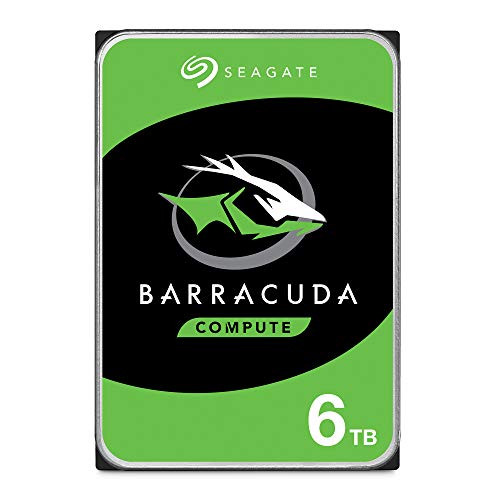
Features include high-capacity storage, versatility across PC tasks, and proven BarraCuda reliability. With SATA 6 Gb/s, 5400 RPM and a large cache, this drive supports steady video editing workflows for desktops and workstations. Best for budget-conscious editors building a robust internal drive pool for 4K projects and multi-track audio.
Best for: Desktop editors who need substantial space without compromising reliability. Why selected: Balanced capacity and performance at a reasonable price point for longer editing sessions and media libraries.
Caution: 5400 RPM drives can be slower on very large transfers compared to 7200 RPM alternatives, which may affect very large 4K/6K workflows.
Seagate BarraCuda 5TB Internal HDD

Features emphasize large-capacity desktop storage with SATA 6Gb/s and 5400 RPM, plus a 128MB cache. This drive is a practical upgrade for editors expanding a desktop workstation, enabling more footage to stay on fast internal storage during cuts and previews.
Best for: Editors upgrading an existing desktop with extra capacity. Why selected: A cost-effective option to expand internal media libraries without sacrificing reliability.
Caution: As with 5400 RPM drives, long-form 4K timelines can benefit from additional speed from higher RPM models when possible.
WD Black 8TB Internal HDD

Described as desktop performance gaming storage with 7200 RPM and 256 MB cache, it targets demanding workloads and faster data access. This drive suits editors who require quicker read/write cycles for high-bitrate media and smoother timelines during playback and scrubbing.
Best for: Creative professionals and editors who need faster transfer speeds for complex timelines. Why selected: 7200 RPM plus a larger cache helps reduce lag during editing and proxy workflows.
Caution: Higher RPM drives can run hotter; ensure adequate cooling in compact workstations or consider additional airflow.
WD Elements 6TB Desktop External HDD

External, plug-and-play storage with USB 3.0, designed for easy backup and expansion of media libraries. This is a practical option for editors who need portable storage for project transfers between locations and for archiving completed edits.
Best for: On-the-go editors and backup workflows. Why selected: Simple, fast plug-and-play external storage with ample capacity for video projects.
Caution: External drives can be slower on older USB interfaces; ensure host devices support USB 3.0 or higher for best performance.
SanDisk Professional 8TB G-Drive Enterprise External
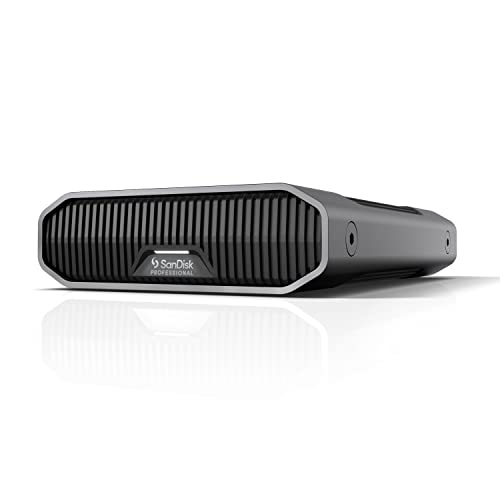
Enterprise-class Ultrastar drive inside a robust external enclosure, with USB-C (10Gbps) and USB 3.2 Gen 2 interfaces. It supports fast backups and large-file editing workflows, and is Mac Ready with Time Machine compatibility; easily reformatted for Windows.
Best for: Professional editors requiring rugged, high-capacity external storage with fast interfaces. Why selected: Enterprise-class drive within a durable external enclosure enables reliable long-term storage and easy cross-platform use.
Caution: External devices can be less portable than compact SSDs, and performance depends on host interface and cable quality.
Buying Guide: Key Considerations For Video Editing Drives
- Internal vs external: Choose internal drives for desktop workstations with sustained editing performance; external drives for portability, backups, and quick transfers between machines.
- Capacity needs: For 4K, consider 6–10 TB per project or larger depending on your project length and media format. Keep additional space for cache and previews.
- Speed vs. reliability: 7200 RPM drives offer faster transfers than 5400 RPM but may run hotter. A larger cache helps with burst transfers and streaming high-bitrate footage.
- Interface compatibility: SATA drives are common for desktops; USB-C/USB 3.2 external drives provide broad compatibility and fast transfer rates. Ensure your editing rig supports the drive’s interface.
- Cooling and case design: Higher-speed drives generate more heat. Ensure adequate airflow in desktops; use external enclosures with proper ventilation for external drives used heavily during editing.
- Longevity and reliability: Look for drives with solid error correction and proven track records in media workflows. Redundancy (RAID) becomes important for ongoing editing projects.
- File management strategy: Use a tiered approach—fast internal drives for active editing, larger external drives for media archive, and separate drives for scratch/media cache when possible.
Who should consider these setups?
- Independent editors and students needing affordable but capable internal drives for 1080p to 4K projects.
- Small studios seeking a mix of internal capacity and external portability for client deliveries and field editing.
- Professional editors requiring robust external options for backups, archiving, and cross-platform workflows.
Quick comparison by use-case
| Use Case | Best Internal Drives | Best External Drives |
|---|---|---|
| 4K/6K editing on a desktop | Seagate BarraCuda 6TB; WD Black 8TB | SanDisk G-Drive 8TB |
| Portable editing and backups | N/A | WD Elements 6TB; SanDisk G-Drive 8TB |
| Budget-friendly expansion | Seagate BarraCuda 5TB | WD Elements 6TB |
Frequently Asked Questions
- What type of hard drive is best for video editing?
– Both internal and external drives can work. Internal drives typically offer faster sustained performance for ongoing editing, while external drives are convenient for portable editing and backups. - Should I choose 5400 RPM or 7200 RPM for editing?
– 7200 RPM drives generally provide faster read/write performance, beneficial for high-bitrate footage, but they may run hotter and louder. Balance speed with cooling and noise considerations. - Is a larger cache important for video editing?
– Yes. Larger caches improve burst transfer performance and responsiveness when working with large media files or timelines. - Do I need a RAID setup for editing?
– For safety and throughput, a RAID configuration can improve redundancy and parallel read/write performance, especially in multi-project environments. - Can external USB-C drives be used for 4K editing?
– Yes, USB-C with high-speed interfaces (USB 3.2 Gen 2 or Thunderbolt) can support 4K editing workflows, depending on file sizes and drive performance.