Inventory control software helps businesses track stock levels, manage orders, and optimize operations. This guide highlights five strong choices for various retail and service environments. Each option is positioned for different buyer types—from single-store retailers to service-based salons and mobile vendors. Use this overview to compare features, scalability, and practical use cases before selecting a solution that fits your workflow.
Summary of selected products
| Product | Best For | Key Benefit |
|---|---|---|
| CashFootprint Retail POS Software | Retailers seeking no-fee licensing | Free updates and support with a single-license model |
| World Educational Salon POS | Salons and spas | Touchscreen POS with inventory management |
| Inventoria Stock Control | Small businesses needing purchasing and forecasting | Purchase orders and vendor communications |
| NWIQ POS Inventory | Booths, stalls, mobile vendors | One-time purchase with diverse modules |
| Wasp HC1 Inventory Software | Businesses needing integrated hardware | Hardware-integrated software for enterprise workflows |
CashFootprint POS Software & Inventory Control

CashFootprint offers a versatile retail POS with built-in inventory control and discount management. It emphasizes a no-fee licensing model and ongoing free updates and support, making it appealing for small shops seeking predictable costs. This option is best for single-store retailers who want a straightforward setup without subscription commitments and who value ongoing vendor support.
Best for: Small retailers needing an affordable, all-in-one solution with secure employee access and routine updates.
Limitations: The license is tied to one computer, which may limit multi-terminal setups without additional licenses.
Salon POS Checkout Software

This Salon POS focuses on inventory management and checkout for beauty and service-oriented businesses. Designed for salons and spas, it offers touchscreen capabilities and streamlined inventory control to support appointment-driven workflows. Choose this if you operate a salon or spa and want a dedicated interface that aligns with service scheduling and product tracking.
Best for: Salons and spas needing a specialized POS with integrated inventory management and easy interface for staff.
Caution: Desktop CD-ROM delivery may limit compatibility with newer operating systems without proper updates or migration steps.
Inventoria Stock Control And Inventory Management
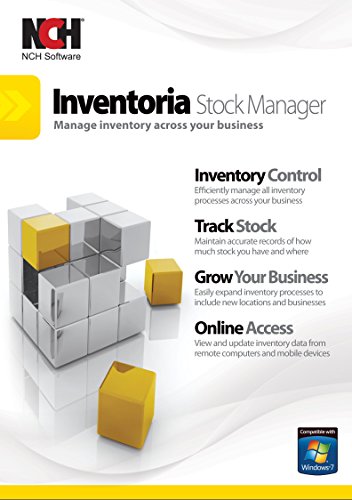
Inventoria is designed to streamline inventory for varied operations with features like warnings and reports to prevent stockouts. It enables purchase orders and direct emailing to vendors, making it suitable for small to mid-sized businesses that rely on steady stock replenishment and supplier communication. Best for shops that need proactive stock control and easy PO management.
Best for: Businesses seeking reliable stock monitoring plus built-in purchasing workflows.
Limitation: Data concentrates on inventory and procurement; broader sales analytics may require integration with other tools.
NWIQ POS Inventory Retail Software

NWIQ POS Inventory Software targets booths, counters, food vans, and stalls with a one-time purchase model. It offers a broad set of modules and key reports, making it a practical choice for independent vendors who want a scalable solution without ongoing subscription fees. Best for mobile or temporary storefronts needing dependable inventory and reporting.
Best for: One-time purchase buyers who operate small, diverse selling environments and need modular features.
Limitation: One-time purchase may mean fewer ongoing feature updates compared to subscription models.
Wasp Inventory Control Software

Wasp offers an enterprise-ready software option that pairs with HC1 numeric keypad mobile computers. It’s positioned for businesses requiring integrated hardware to support inventory workflows. This choice is better for organizations already using Wasp hardware or seeking a tightly integrated hardware-software solution for real-time stock visibility.
Best for: Businesses that rely on dedicated hardware and need a cohesive software-to-device workflow.
Limitation: Requires compatible hardware setup; may be more suited to larger operations or tech-forward shops.
Buying Guide: Key Purchase Considerations
What type of operation do you run? Retail stores, salons, and mobile vendors have different needs for inventory tracking, multi-user access, and purchase order workflows. Match software features to your primary tasks, such as barcode scanning, vendor communications, or appointment integration.
Single-license vs. multi-seat. If you operate in a multi-user environment, confirm how licenses are allocated and whether additional seats are allowed. Some options offer no-subscription models but limit use to one machine.
Hardware integration. Consider whether you need hardware like barcode scanners or mobile computers. Enterprise-grade software often yields the best value when paired with compatible devices.
Forecasting and purchasing. Look for warnings, stock level alerts, and PO generation to avoid stockouts and optimize reorder timing. This is especially important for seasonal products or fast-moving categories.
Support and updates. Free updates and accessible support reduce total cost of ownership. Clarify response times and whether remote assistance is included.
Scalability. If you anticipate growth, choose a solution that can scale from a single storefront to multiple locations or online channels without a complete switch.
FAQ
- What is inventory control software?
Software that tracks stock levels, sales, purchases, and orders to optimize inventory and reduce stockouts.
- Do I need a subscription or is a one-time purchase better?
Subscriptions provide ongoing updates and support; one-time purchases can be cost-effective but may require upgrades for future needs.
- How many licenses should I buy?
Start with the number of concurrent users in your store; many solutions support additional seats or cloud access for remote use.
- Is hardware integration important?
Yes if you rely on barcode scanning or mobile devices for real-time stock updates; confirm compatibility with your chosen software.
- Can inventory software help with purchasing?
Yes, look for features like purchase order creation, vendor emailing, and stock level warnings to streamline replenishment.
- What should I avoid when selecting software?
Avoid solutions with unclear licensing, limited updates, or poor vendor support, which can increase long-term costs and friction.