Need a reliable laptop for architecture coursework, CAD software, and 3D visualization? This guide highlights five strong options that balance processor power, graphics capability, RAM, and storage with a focus on design workflows. The selections target architecture students who run demanding apps like AutoCAD, Revit, Rhino, and BIM software. Best fits vary: portable students may prioritize weight and battery life, while studio-focused users may prioritize GPU speed and screen real estate. Below, compare each model and see who benefits most from its strengths.
Summary of chosen products
| Product | Best For | Key Specs (highlights) |
|---|---|---|
| Dell Precision 7680 Laptop (16″ FHD+) | Power users; CAD and 3D rendering | i9-13950HX, 32GB RAM, 1TB SSD, 16″ FHD+, RTX integration |
| ASUS ROG Strix G16 (2026) | High-performance coursework and light gaming | i7-14650HX, RTX 5060, 16GB RAM, 1TB SSD, 165Hz |
| Dell Precision 7680 (NVIDIA RTX 2000 Ada) | Graphic design and heavy multitasking | i7-13850HX, 64GB RAM, 2TB SSD, RTX Ada 8GB |
| Lenovo LOQ 17.3″ FHD | Large-screen value; design and drafting | i5-13450HX, 32GB RAM, 2TB storage, 17.3″ 165Hz display |
| KAIGERR 15.6″ Laptop | Budget-friendly multitasking and drafts | Intel Twin Lake N150, 16GB RAM, 512GB SSD, 15.6″ FHD |
Dell Precision 7680 Laptop, 16″ FHD+, i9-13950HX
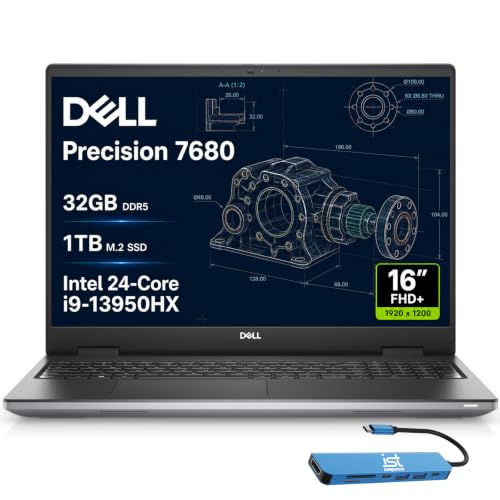
The Dell Precision 7680 is positioned as a flagship workstation for design, architecture, and related workflows. It ships with an Intel Core i9-13950HX vPro processor and 32GB CAMM RAM, plus a 1TB NVMe SSD. The 16″ FHD+ display provides a crisp workspace, and the system supports multiple 4K outputs, which is useful for aggressive multi-monitor setups used in architecture studios.
Best for: students who need robust CPU and RAM for CAD, BIM, and large-scale render tasks. This model excels in heavy multitasking and complex modeling workflows. Choose this if you routinely run multiple design apps and demand fast storage and processor headroom.
Caution: The high-end configuration may come with substantial weight and battery drain, so plan for stationary use or backup power during long drafting sessions.
ASUS ROG Strix G16 (2026) 16” FHD+

ASUS ROG Strix G16 emphasizes high-performance graphics and fast memory. With an Intel Core i7-14650HX and an NVIDIA GeForce RTX 5060 GPU, it delivers strong 3D viewport performance and capable rendering for architecture software. The 16GB RAM and 1TB Gen 4 SSD support sprawling project files and large texture libraries.
Best for: students who need a capable GPU for real-time visualization, rendering, and smoother viewport navigation in 3D CAD apps. It also suits those who want a higher refresh rate screen for more fluid design reviews and presentations.
Caution: Gaming-oriented cooling can be louder under load; consider a cooling pad or occasional use on a desk rather than in a quiet classroom.
Dell Precision 7680 Laptop, RTX 2000 Ada 8GB
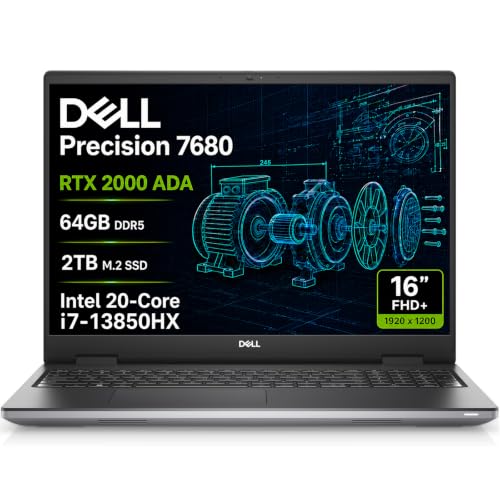
This variant pairs the NVIDIA RTX 2000 Ada 8GB GPU with 64GB CAMM RAM and a 2TB NVMe SSD, aimed at professionals relying on accelerated graphics and AI-optimized workloads. The 16″ FHD+ display remains a strong canvas for drafting and visualization, with support for multiple external monitors via HDMI, USB-C, and Thunderbolt. It’s built to handle complex projects with AI-assisted workflow optimizations.
Best for: architecture students who push GPU-accelerated tasks, large-scale assemblies, and high-fidelity render previews. Choose this if you frequently run GPU-bound software or need substantial RAM for multitasking.
Caution: This model is a higher-cost option; ensure you’ll use its GPU and RAM to justify the investment in daily coursework.
KAIGERR 15.6″ Laptop with Intel Twin Lake N150

The KAIGERR model uses an Intel Twin Lake N150 processor with 16GB RAM and 512GB SSD. Its 15.6″ Full HD display is compact and portable, offering practical performance for drafting, coursework, and basic 3D visualization. It provides essential multitasking capability at a more accessible price point.
Best for: students who need a budget-friendly option for writing, drafting, and light rendering, or for those who prioritize portability and battery life over peak render performance.
Caution: The CPU and GPU are modest compared to workstation-class laptops; expect longer render times or slower viewport navigation on very large projects.
Buying Guide
What to consider when choosing a laptop for architecture students
- CPU power: Look for high-end multi-core CPUs (e.g., i7/i9 with HX or H-series) to handle CAD and BIM software smoothly.
- GPU capability: Dedicated graphics (RTX or similar) improves viewport performance and rendering; prioritize if you work with 3D modeling and visualization.
- RAM: 16GB is minimum; 32GB or more is ideal for large projects and multitasking across apps.
- Storage: Fast NVMe SSDs (512GB–2TB) speed up boot, project loading, and file transfers; consider extra external storage if needed.
- Display: A 15–17 inch screen with good color accuracy helps with design accuracy; a higher resolution and anti-glare panel reduce eye strain.
- Portability vs. performance: Balance weight and battery life with performance needs. Docking capability and external monitor support are important for studio setups.
- Thermals and reliability: Systems designed for sustained workloads perform better in long drafting sessions and renders.
How to compare these options
- Best for high-end CAD and rendering: Dell Precision 7680 variants, especially with large RAM and GPU headroom.
- Best for balanced performance with strong visuals: ASUS ROG Strix G16 offers a capable GPU, fast display, and ample storage.
- Best value in a large screen: Lenovo LOQ 17.3″ provides a roomy display for drafts and layouts at a more affordable price point.
- Best portable option on a budget: KAIGERR 15.6″ balances cost with essential power for drafting and coursework.
FAQ
- What specs are most important for architecture software?
– A strong CPU, dedicated GPU, 16–32GB RAM, and fast NVMe storage are key for CAD, BIM, and rendering tasks. - Is a larger screen worth it for architecture students?
– Yes, a 17-inch or at least a 15.6-inch display improves workspace efficiency for layouts and detail work. - Should I prioritize GPU over CPU?
– For rendering and real-time visualization, a strong GPU is crucial; for modeling and simulations, CPU power also matters. - What about RAM upgrades after purchase?
– Many business-class laptops allow RAM upgrades; if you anticipate growing project sizes, aim for 32GB or more upfront. - Are refurbished or renewed laptops a good idea?
– Renewed options can offer good value but ensure warranty and return policies align with your needs. - Do students need professional-grade displays?
– Color accuracy helps with presentation and accurate design work; consider a model with a good display or plan for external monitors.