Whether you’re laying down tracks, composing, or performing live, choosing the right music making software matters. This guide highlights five popular options that suit different workflows—from beginner-friendly to professional-grade. Each entry explains who it’s best for, why it stands out, and a practical caveat to consider before you buy. The table below helps compare core details at a glance.
| Product | Best For | What It Delivers |
|---|---|---|
| Image Line FL Studio 20 Producer Edition | Beat makers and multi-track recorders | Pro-level sequencing, MIDI, and live performance features |
| MAGIX Music Maker 2026 Premium | Creative composers seeking built-in tools | Soundpools, AI features, and mastering tools |
| MIXPad Free Multitrack | Budget-conscious home studios | Multitrack mixing with intuitive editing |
| MAGIX Music Maker 2016 Live | Live performers and DJs | 16 virtual pads, remote control support |
| PreSonus AudioBox USB 96 Studio Package | Complete home recording setups | All-in-one recording interface and mic bundle |
Image Line FL Studio 20 Producer Edition
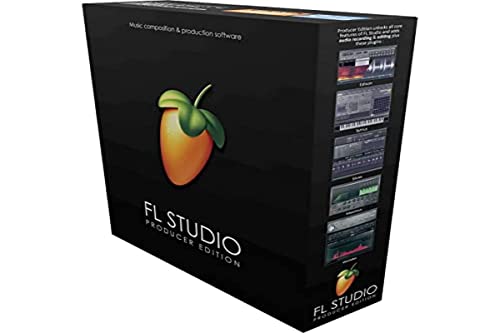
Best for: Beat makers and multi-track composers who need robust MIDI and looping capabilities. FL Studio 20 Producer Edition emphasizes sequencing, arrangement, and live performance workflows, making it a staple in electronic music production. Its modular mixer and automation options support intricate arrangements and expressive performances. The sample library and instrument options help create professional-sounding tracks without external plug-ins.
Why selected: This package is a strong all-in-one solution for users who prioritize a comprehensive suite for composing, arranging, and producing music in a single environment. It balances depth with a streamlined interface that is friendly to both new and experienced users.
Caution: The software can be resource-intensive. A capable computer and compatible audio interface help avoid performance issues during large projects.
MAGIX Music Maker 2026 Premium

Best for: Creators who want powerful tools and plenty of included sounds. Music Maker 2026 Premium expands sound pools, includes AI-assisted features, and packs a mastering suite, making it suitable for quick turnarounds and polished final mixes.
Why selected: Its built-in sound pools and professional effects reduce the need for external plugins, which helps streamline small studios and solo producers. The inclusion of mastering and advanced editing features supports professional-sounding results.
Caution: Some advanced features may require time to learn. Interfaces and workflows differ from other DAWs, so a short acclimation period is expected.
MixPad Free Multitrack

Best for: Hobbyists and home studios looking for an affordable, straightforward mixing platform. MixPad focuses on ease of use while offering multi-track recording and editing capabilities.
Why selected: It provides essential multi-track mixing, vocal and instrument tracks, and practical editing tools, which makes it a good partner for quick demos and personal projects without a high learning curve.
Caution: As a free or lower-cost option, some high-end plugins and professional mastering features may be limited compared to premium software.
PreSonus AudioBox USB 96 Studio Package

Best for: Home-recording setups that require a reliable interface plus a high-quality microphone. The AudioBox USB 96 is a sturdy audio/MIDI interface designed for vocals and instrument capture with portability in mind.
Why selected: This bundle covers both recording hardware and essential capture components, offering a convenient start-to-finish solution for home studios and small projects.
Caution: This package does not replace the need for a dedicated studio monitor system in larger rooms, and you may want to pair it with appropriate acoustic treatment for best results.
Buying Guide
What type of music maker fits your workflow?
If you primarily produce electronic music or hip-hop, a feature-rich DAW with strong MIDI and sequencing (like FL Studio 20) can speed up the creative process. For composers who value built-in sounds and quick arrangements, premium offerings from MAGIX (Music Maker 2026 Premium) provide ready-to-use content and mastering tools. For budget-minded beginners, a simple multi-track mixer such as MixPad can still deliver usable results without a steep learning curve.
Do you need live performance features?
Live performance-friendly software often includes loop-based workflows, pad controllers, and remote control support. MAGIX Music Maker 2016 Live emphasizes performance pads and Wi-Fi instrument control, which is helpful for DJs and live electronic sets.
Is hardware bundled with software important?
Some packages combine hardware with software to facilitate immediate recording and monitoring. The PreSonus AudioBox USB 96 package provides a compact interface plus a microphone, making it ideal for beginners who want a complete starter kit without shopping separately.
What about learning curves and support?
Some suites offer extensive manuals, tutorials, and AI-assisted features that guide new users. MAGIX products often include accessible learning curves with helpful tooltips, while more complex DAWs may require time to master advanced editing and routing.
What should you consider for future upgrades?
Consider whether the software handles expansion through additional sound libraries, plug-ins, or upgrade paths. FL Studio, MAGIX Premium editions, and MixPad generally offer upgrade options that let you extend capabilities as your projects grow.
FAQ
- What is the easiest music making software for beginners? Software with intuitive interfaces and built-in sound pools, like MAGIX Music Maker Premium, often provide a gentle learning curve for newcomers.
- Can I do live performances with these programs? Yes, several options include live performance features, such as pad support and remote control tools, suitable for on-stage use.
- Choose hardware bundles or just software? If you’re starting from scratch, a bundled package like the PreSonus AudioBox USB 96 can simplify setup and reduce compatibility questions.
- Do I need high-end hardware to run these? More capable CPUs and sufficient RAM help with larger projects, but many options run on mid-range systems, especially lighter-weight DAWs.
- Are sound libraries included? Many premium packages include sound pools and loops; additional expansions are often available if you need more variety.
- Should I stay with one brand? Sticking to one ecosystem can simplify workflows and plugin compatibility, but cross-brand options allow choosing the best tools for each task.