Answering your search for a reliable network interface card (NIC) for desktop use, this guide highlights top picks across 2.5G, 5G, and 10G options. These NICs are ideal for gamers, streamers, and power users who need lower latency, higher throughput, or better local network performance. The top five products below cover 2.5G and 10G speeds, broad OS compatibility, and varied form factors. Use the quick reference table to compare key specs at a glance, then read detailed reasoning for each pick.
| Product | Speed | Interface | Best For | Notes |
|---|---|---|---|---|
| TP-Link TX201 | 2.5 Gbps | PCIe | Gamers and power users needing faster LAN | Backward compatible with 1 Gbps/100 Mbps |
| TP-Link TX401 | 10 Gbps | PCIe | High-bandwidth data transfers | Backward compatible with lower speeds |
| GiGaPlus 2.5G | 2.5 Gbps | PCIe | Budget-friendly 2.5G NICs | Realtek RTL8125B |
| Rielincard 2.5G with Intel i226-V | 2.5 Gbps | PCIe | Mixed OS environments | i226-V powered (not an Intel card) |
| BrosTrend 2.5G | 2.5 Gbps | PCIe | Gaming and streaming | Low-profile friendly |
TP-Link TX201 2.5G PCIe Network Card

Features include 2.5 Gbps Ethernet via PCIe, backward compatibility with 2.5 Gbps, 1 Gbps, and 100 Mbps, and Quality of Service (QoS) to prioritize gaming traffic. This NIC is best for gamers and users who want a straightforward upgrade to higher local network speeds without changing routers. It is a solid choice when you need a simple, fast LAN upgrade for a desktop that relies on a wired connection. A limitation is that actual speeds depend on cable quality and network conditions.
TP-Link 10/100/1000Mbps Gigabit PCI Express NIC

This PCIe adapter upgrades Ethernet speed to Gigabit with auto-negotiation and Wake-on-LAN. It supports IEEE 802.3x flow control for full-duplex, backpressure for half-duplex, and provides 1 RJ45 port. Best for users upgrading from slower Fast Ethernet to a modern gigabit connection. Limitations include older chips that may not support newer features on some systems, so verify OS compatibility before purchase.
TP-Link 10GB PCIe Network Card TX401

The TX401 delivers up to 10 Gbps using 10GBase-T with backward compatibility to 5 Gbps, 2.5 Gbps, 1 Gbps, and 100 Mbps. This card is best for users performing heavy local transfers or needing ultra-low latency for data center-style tasks. A potential limitation is the need for a robust motherboard PCIe lanes and appropriate cabling to realize full 10 Gbps speeds; otherwise, results may align with lower speeds.
2.5Gb PCIe Network Card – GiGaPlus RTL8125B

Powered by Realtek RTL8125B, this 2.5 Gbps NIC offers backward compatibility with 2.5 Gbps, 1 Gbps, and 100 Mbps networks and supports Windows, macOS, and Linux. It’s best for users who want a cost-effective 2.5G upgrade and broad OS support. A caution: Windows driver availability is straightforward, but other OS drivers should be downloaded from Realtek’s site if needed.
2.5Gb PCIe Network Card with Intel i226-V Chip
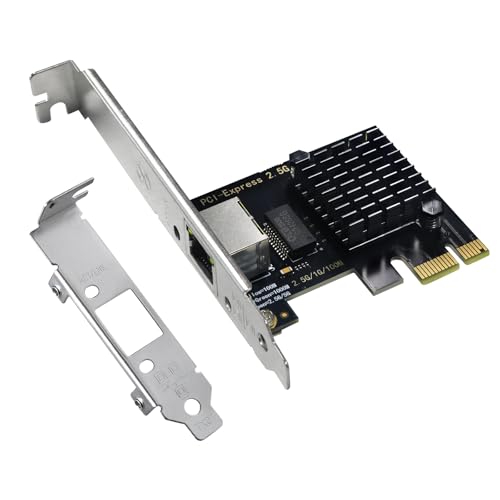
This card uses the Intel i226-V Ethernet controller to deliver fast 2.5 Gbps connections with compatibility for Windows 10/11, Linux, and VMware ESXi 8.0. Best for mixed OS environments and virtualized setups where stable 2.5G performance matters. Note that the product description clarifies it is not an Intel-branded NIC, which may influence driver sourcing decisions for certain users.
BrosTrend 2.5Gb PCIe Network Card

This card emphasizes 2.5 Gbps speed, low-latency gaming performance, and an emphasis on improved local network transfers. It’s best for users seeking a straightforward upgrade for gaming and streaming within a home network. A potential drawback is that some systems may require updated drivers or BIOS settings to fully unlock 2.5 Gbps performance.
Buying Guide: Key Purchase Considerations
- Speed requirement: Choose 2.5 Gbps for improved throughput over standard Gigabit; pick 10 Gbps for extreme transfer needs; consider 5 Gbps if you foresee future-proofing without full 10G costs.
- OS and driver availability: Verify Windows, macOS, or Linux compatibility and whether drivers must be sourced from the vendor or Realtek/Intel.
- PCIe slot type: Check whether your motherboard has available PCIe lanes and if the card needs x1, x4, or x8 slots to achieve best performance.
- Network environment: Acknowledge that real-world speeds depend on cables (CAT6/6A or better), router/switch capabilities, and network congestion.
- Form factor and clearance: Low-profile NICs fit compact builds; ensure sufficient space and cooling in your PC case.
- Future expansion: If you plan to upgrade to 10G in the future, consider a 10G-capable card or a model with broad backward compatibility to simplify upgrades.
FAQ
- What is a network interface card used for?
It provides a dedicated connection point between a computer and a wired network, enabling higher speeds and lower latency than some onboard solutions.
- Do 2.5G NICs require special cables?
Yes, use at least Cat6a cables to reliably reach 2.5 Gbps; CAT5e is generally insufficient for sustained 2.5 Gbps in real conditions.
- Can I install multiple NICs in one PC?
Yes, many desktops support multiple NICs for link aggregation, separate networks, or dedicated gaming traffic.
- Will a 10G NIC always deliver 10 Gbps?
No. Achieving 10 Gbps depends on compatible switches/routers, cables, and motherboard PCIe bandwidth.
- Is driver availability a concern for Linux or macOS?
Some NICs require drivers from Realtek/Intel or third-party sources; verify OS support before purchase.
- What should I consider for gaming use?
Prioritize NICs with QoS features to reduce latency and ensure stable, prioritized traffic for game data.