When you need reliable PC backup software, choose solutions that protect against malware, offer flexible storage options, and support quick recovery. This guide highlights five solid choices suited for different user needs—from home workers to multiple-PC households. Read on to see which tool is best for you, whether you want lifetime licenses, cloud options, or easy system-image creation.
Quick Reference: Selected Products
| Product | Best For | |
|---|---|---|
| AOMEI Backupper PRO | Multi-PC households needing malware and system recovery | System failure recovery, file sync, disk cloning, ransomware protection |
| WD 5TB My Passport | Portable storage with built-in ransomware defense | Ransomware defense, password protection, hardware encryption, USB 3.x compatibility |
| Backup Pro 27 | Flexible data backup across devices and cloud | Full system backups, multiple destinations, cloud and local options |
| Nero BackItUp | One-time purchase for complete backup and recovery | Automated backups, multiple destinations, lifetime license |
| NTI Backup Now EZ 7.5 | Single PC with cloud and local options | 4-in-1 backup: image, file, cloud, and schedule |
AOMEI Backupper PRO
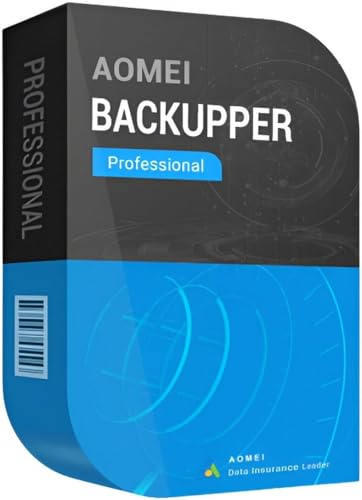
AOMEI Backupper PRO offers comprehensive Windows backup and recovery. It includes system, file, and disk-level backups with a focus on quick restoration after malware infections, hardware failures, or Windows crashes. It supports file synchronization and disk cloning, making it suitable for users who want a single tool to safeguard both data and system state across two PCs. A notable advantage is built-in protection against ransomware that helps you restore clean backups and resume work fast.
Who this is best for: Home and small-business users needing immediate recovery after incidents and the ability to protect multiple devices with one license. Why selected: The combination of system-wide backups and malware recovery features provides a robust safety net for common PC disruptions.
Limitations to consider: The product can be more feature-rich than needed for very basic users who only require simple file backups.
WD 5TB My Passport

This 5TB portable hard drive combines large storage capacity with built-in ransomware defense and password protection. The hardware encryption adds a layer of security for sensitive files, while USB 3.1 enables faster transfers. This option is ideal when you need offline backups you can carry and protect physically, as well as a simple way to maintain a local copy of important data.
Who this is best for: Individuals who travel with data and want a reliable, portable backup with security features. Why selected: It supports a straightforward, plug-and-play backup workflow and local protection against unauthorized access.
Caution: While portable, it requires a separate backup software plan to manage automated backups beyond basic copy-and-paste operations.
Backup Pro 27

Backup Pro 27 focuses on full-system backup and restore with flexible storage options, including hard drives, USB drives, network locations, and cloud storage. It emphasizes protection against malware and system flaws, supporting backups for popular email clients and browsers. The tool is suitable for users who want extensive coverage across multiple data types and destinations without being tied to a single storage method.
Who this is best for: Users who want “set-and-forget” style protection with multiple destination choices. Why selected: Its multi-destination capability provides resilience if one backup path fails, and cloud options add off-site safety.
Limitation: The feature set may be more than necessary for minimal backups or for users who prefer a simple, single-destination solution.
Nero BackItUp

Nero BackItUp provides a one-time purchase path to complete backup and recovery. It emphasizes automated backups for photos, videos, documents, and more, with multiple destinations including external drives, USB, NAS, or cloud services. The lifetime license eliminates ongoing payments, appealing to users who want long-term access without subscriptions.
Who this is best for: Users seeking a straightforward, license-based backup solution with automated routines. Why selected: The lifetime license and automated workflow offer predictable long-term cost and maintenance.
Limitation: The product design is more basic than some multi-destination or cloud-centric teams may require.
AOMEI Backupper Professional Software (Digital Delivery)

This option provides a digital delivery for professional use, with a license key emailed after payment. It emphasizes the practical benefits of software-only delivery, avoiding physical media. This choice supports Windows backups and restores across two PCs with a digital license, suitable for users who prefer instant software access post-purchase.
Who this is best for: Buyers who want immediate software access without physical media. Why selected: Digital delivery streamlines license management and deployment across two PCs.
Limitation: It lacks mention of bundled hardware protections beyond the software, so ensure you have adequate hardware backup plans.
NTI Backup Now EZ 7.5

NTI Backup Now EZ 7.5 presents a 4-in-1 approach with scheduled backups, cloud, image, and file/folder backups. It supports a wide range of Windows versions and offers both downloadable and CD formats. This option is useful for users who want an all-in-one, scheduled solution that can work with cloud services and local storage alike.
Who this is best for: Users who need a versatile backup plan that blends offline and online options. Why selected: The combination of image, file, cloud, and scheduling covers many common backup scenarios.
Caution: If you primarily back up small amounts of data or prefer a simple tool, the breadth of options might feel complex at first.
Buying Guide: Key Purchase Considerations
- Storage destination options: Choose software that supports local drives, external disks, NAS, and cloud storage if you want off-site protection.
- Backup type: System image backups protect the entire PC, while file-level backups protect specific data. Consider a mix if you need both.
- Ransomware and malware resilience: Look for features that enable quick recovery from compromised systems without paying again for restored data.
- Licensing and scale: If you have multiple PCs, verify whether the license covers 2 PCs or more, and whether it’s a lifetime license or subscription.
- Automation and scheduling: Regular, automated backups reduce the risk of human error. Check how easy it is to set and adjust schedules.
- Ease of recovery: A robust recovery process that minimizes downtime is essential, especially for business-critical machines.
- Portability: For travelers, a portable storage solution with built-in protection can complement PC backup software.
FAQ
- What is the difference between image backups and file backups?
Image backups create a full copy of the operating system, installed programs, and data. File backups copy only selected files and folders, usually requiring less storage.
- Is a lifetime license better than subscription?
Lifetime licenses can be cost-effective over time but may lack ongoing feature updates. Subscriptions can provide continuous updates and cloud features, at an ongoing cost.
- Should I use cloud backup or local backup?
Cloud backups provide off-site protection against local disasters, while local backups offer fast restoration and lower latency. A combination often provides best protection.
- Can I back up multiple PCs with one product?
Many products offer multi-PC licenses or family plans. Verify the license terms to ensure coverage for all devices you own.
- What if I need to restore after a malware attack?
Choose software with a ransomware-aware restore feature and maintain offline backups to restore clean data without reinfection.
- Do these tools support Windows 11 and 10?
All listed products advertise compatibility with Windows 10 and newer versions, including Windows 11. Check the official product page for the latest compatibility notes.