Protecting a laptop means guarding against malware, phishing, online fraud, and data leaks. This article highlights five effective options for different needs, from all-in-one security suites to physical theft protection. It’s best for light-to-moderate users who want solid, easy-to-use protection across multiple devices, plus privacy features like VPNs and secure browsing. The top picks are suitable for students, remote workers, small business owners, and anyone who stores sensitive information on a laptop. A compact buying guide follows each product to help you choose quickly.
| Product | Best For | Platform Breadth | Key Benefit |
|---|---|---|---|
| Bitdefender Total Security 2026 | All-around protection | Windows, Mac, Android, iOS | Multi-layer malware defense with safe online banking |
| Norton 360 Deluxe 5 Devices | Small teams or families | Windows, Mac, iOS, Android | AI scam protection and VPN |
| McAfee Total Protection 5 Devices | Online privacy and device security | Windows, Mac, iOS, Android | Scam detector and secure VPN |
| Norton 360 Standard | Single-device protection | Windows, Mac, iOS, Android | AI scam protection and VPN |
| Kensington N17 Laptop Lock | Physical theft protection | Laptops with standard wedge lock | Resettable 4-wheel combo; 6 ft steel cable |
Notes: If you want a comprehensive digital shield across multiple devices, choose a multi-device plan like Bitdefender or Norton 360 Deluxe 5 Devices. For budget-conscious or single-device use, Norton 360 Standard is a solid option. For physical security, a laptop locking cable adds a critical physical barrier in shared spaces.
Bitdefender Total Security 2026

Best for cross-platform protection with a strong emphasis on safe online banking. Bitdefender Total Security provides speed-optimized antivirus and comprehensive cyber protection for Windows, Mac, iOS, and Android. It includes real-time data protection and multi-layer ransomware defense, along with features like Phishing, Anti-Tracker, and Webcam/Microphone monitoring. The package includes a VPN with daily data allowances and parental controls. Best for users who prioritize a unified solution that covers malware, privacy, and online banking safety.
Who it’s best for: Individuals seeking broad, cross-device protection with a dedicated browser for online banking and a built-in VPN. Why selected: It clearly targets online security risks and privacy with multi-layer defense and SAFE ONLINE BANKING features. Limitation: VPN data may be limited per day, which could impact heavy VPN users.
Norton 360 Deluxe, 5 Devices

Best for families or teams needing protection across multiple devices with AI-powered scam protection and VPN. Norton 360 Deluxe offers ongoing protection for up to five PCs, Macs, iOS, or Android devices. It includes AI-powered scam protection via the Genie assistant to guide users through suspicious offers and strong online privacy features like a bank-grade VPN. Best for users who want broad device coverage and proactive scam defense. Limitation: The service emphasis on AI-assisted features may require ongoing cloud connectivity.
McAfee Total Protection 5 Devices
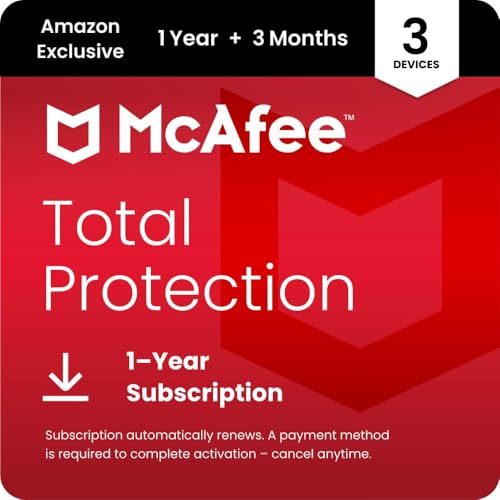
Best for comprehensive device security and online privacy on multiple devices. McAfee Total Protection 5 Devices offers real-time threat protection for phones, tablets, and laptops, a scam detector for text and email threats, and a secure VPN for private browsing on public Wi-Fi. Best for households with several endpoints requiring consistent protection and simple management. Caution: Some features may require account setup and periodic updates to maintain protection levels.
Kensington N17 Laptop Lock

Best for physical theft protection on the go or in shared spaces. The Kensington N17 laptop lock fits seamlessly into Dell wedge-type slots and features a resettable 4-wheel number code with 10,000 combinations. The 6-foot carbon steel cable anchors devices to a desk, table, or fixed structure. Best for those who need a reliable physical deterrent. Limitation: Requires a compatible locking slot on the laptop or peripheral; not all models support this style of lock.
Buying Guide
- Protection scope: If you want antivirus plus privacy tools, choose multi-device suites like Bitdefender Total Security or Norton 360 Deluxe 5 Devices.
- Device coverage: For a single device, Norton 360 Standard is a straightforward choice; for multiple devices or a family, Norton Deluxe or McAfee 5-Device plans offer broader coverage.
- Privacy features: VPN access and safe browsing can be essential for public Wi-Fi use; compare daily data allowances and server locations.
- Threat defense: Look for real-time protection, ransomware safeguards, phishing protection, and anti-tracking features to minimize online threats.
- Physical security: If protecting a laptop in public or shared spaces is important, pair software protection with a physical lock like the Kensington lock to deter theft.
- Ease of use: Consider a clean interface and automatic updates. AI scam protection can help reduce user errors, but ensure the setup is straightforward.
FAQ
- What is the main difference between Norton 360 Deluxe and Standard?
Answer: Deluxe covers up to five devices and includes AI scam protection and VPN, while Standard covers a single device with similar core protection. - Do these products include a VPN?
Answer: Yes, several include a VPN as part of the package; verify daily data limits and server availability. - Is a physical lock necessary if I have antivirus software?
Answer: Antivirus protects data and devices from malware, but a lock protects the device from theft in public or shared spaces. - Can I use these on Windows and Mac?
Answer: Most options shown support Windows and Mac, along with iOS and Android for a broad cross-platform shield. - Will antivirus protect against ransomware?
Answer: Yes, many include multi-layer ransomware protection along with real-time threat defense. - Do these products require ongoing renewals?
Answer: Yes, auto-renewal is common to maintain continuous protection across devices.