The top USB drives for DJing are those that combine high transfer speeds, dependable durability, and broad compatibility with DJ equipment. This guide highlights five options well-suited for keeping music sets smooth, backups secure, and workflows efficient. It’s ideal for DJs, event techs, and aspiring performers who need portable, worry-free storage during gigs. The selections below emphasize speed, dual-connector versatility, and robust build quality to fit busy live environments.
Summary of chosen products at a glance
| Product | Best For | Key Benefit | Capacity |
|---|---|---|---|
| Lexar D40E 128GB Dual USB 3.2 Gen 1 | DJs needing USB-C and USB-A in one | 2-in-1 OTG with swivel design | 128 GB |
| SANDISK Ultra Flair 128GB USB 3.0 | Quick transfers on a budget | High read/write speeds for fast transfers | 128 GB |
| SANDISK DJ Flash Drive 512GB | Large libraries and live sets | up to 1,000 MB/s read, 900 MB/s write | 512 GB |
| SAMSUNG BAR Plus 128GB USB 3.1 | Durable, rugged design | Rugged metal casing with fast speeds | 128 GB |
| JOIOT 128GB USB-C Dual USB 3.0 | Cross-compatibility across devices | 2-in-1 Type-C and USB-A | 128 GB |
Lexar D40E 128GB Dual USB 3.2 Gen 1 Type-C Jump Drive

The Lexar JumpDrive Dual Drive D40E offers USB-C and USB-A connectors in a slim, portable form factor. It supports USB-C smartphones, tablets, laptops, Macs, and traditional Type-A devices without software installation. Its 360° swivel design lets you switch connectors quickly, which is useful when you’re juggling multiple devices during setup. Best for: DJs who routinely switch between laptops and USB-C devices and want a compact, dual-interface option. Caution: speeds are up to 100 MB/s in internal testing and may vary by host device and usage conditions.
SANDISK Ultra Flair 128GB USB 3.0 Flash Drive

SanDisk Ultra Flair delivers USB 3.0 performance with read speeds up to 130 MB/s. It’s a strong pick for DJs who need fast transfers of large audio files and sets from a budget-friendly option. Best for: DJs who value solid read speeds for quick set loading and backup. Caution: real-world speeds can vary and rely on USB 3.0 host compatibility.
SANDISK 512GB DJ Flash Drive
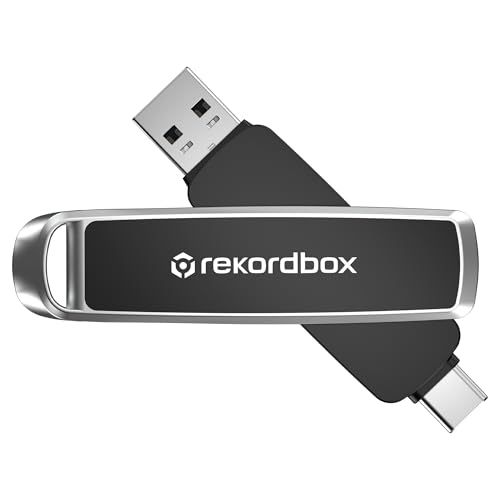
This high-capacity flash drive is engineered for large music catalogs, offering up to 1,000 MB/s read and 900 MB/s write speeds. It also features dual USB-C and USB-A connectors for cross-compatibility. Best for: DJs who store extensive libraries and require fast field transfers between gear. Limitation: the top speeds assume compatible USB-C interfaces and high-performance hosts.
SANDISK 256GB Ultra USB 3.0
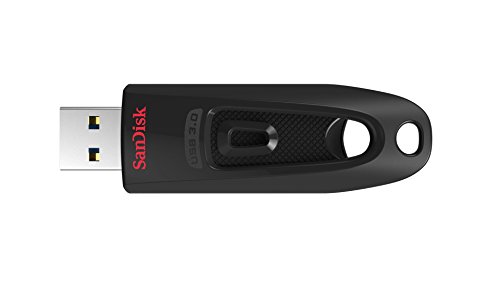
With USB 3.0 performance and speeds up to 130 MB/s read, this is a balance between capacity and cost. It’s backward compatible with USB 2.0 for compatibility with older gear. Best for: DJs who need a reliable, affordable option for moderate-sized libraries. Caution: speeds may be limited by older equipment not supporting USB 3.0.
JOIOT 128GB USB C Flash Drive Dual USB 3.0

JOIOT’s 2-in-1 design features both USB-C and USB-A connectors with USB 3.0 speeds. It supports Windows, Android, Linux, and Mac OS, and is plug-and-play. Best for: DJs who perform across multiple platforms and want a versatile, affordable dual-interface drive. Caution: not compatible with Lightning iPhone/iPad models.
Lexar D40E 128GB Dual USB 3.2 Gen 1 Type-C Jump Drive (Titanium Grey)

This variant reinforces the same 2-in-1 USB-C and USB-A design with up to 100 MB/s transfer speeds. It’s best for: DJs who want a compact, dual-interface option that minimizes cable clutter during setup. Limitation: speeds can vary by host device and conditions.
Buying Guide: Key Considerations for DJing USB Drives
- Compatibility: Look for dual-interface drives (USB-C and USB-A) to cover laptops, mixers, and mobile devices common in DJ setups.
- Speed: Prioritize USB 3.x performance for quick transfers of high-bitrate music files and large sets. Real-world speeds depend on the host port and file type.
- Durability: A rugged, metal or reinforced casing helps withstand gig life, including accidental drops and frequent unplugging.
- Capacity: Balance budget with library size. DJs with extensive catalogs should consider 256 GB or more for seamless storage during performances.
- Reliability: Prefer drives with proven read/write stability and consistent performance across different hosts.
- Ease of use: Plug-and-play drives reduce setup time and compatibility issues with various DJ gear.
Frequently Asked Questions
- What speed is best for DJing USB drives? – Higher read/write speeds enable faster loading of files and smoother set transitions, especially for large audio files and video cues.
- Are dual-interface drives worth it for DJs? – Yes, they offer flexibility across laptops, mixers, and mobile devices, reducing the need for multiple adapters.
- Can USB drives be used directly with DJ controllers? – Many controllers accept USB storage for playback; always verify your controller’s drive compatibility and file format support.
- Should I format drives before use? – In most cases, formatting to a compatible file system (e.g., exFAT) is recommended for large libraries and cross-platform use.
- Is capacity more important than speed? – It depends on your library size and workflow. For live sets with many tracks, larger capacity is beneficial, but you still want reliable speeds for quick cue loading.
- What’s a safe backup strategy for gigs? – Use at least two drives, mirror important sets, and keep a portable offline copy to minimize downtime in case of drive failure.