Whether you are a beginner crafting home movies or a seasoned creator delivering polished content, selecting the right video editing software matters. This guide highlights five strong options in the current market, explaining who they’re best for and why they stand out. The focus is on tools that balance powerful features with practical usability for American buyers, with clear reasoning to help you compare at a glance.
Quick comparison table of selected products:
| Product | Best For | Key Strength |
|---|---|---|
| Nero Video 2026 | Beginners to intermediate editors who want 4K/8K support | 1000+ effects and motion tracking with a multi-track timeline |
| CyberLink PowerDirector 2026 | Creators who value AI-assisted editing and versatility | AI-driven quick actions and color tools |
| Nero Video Maker | Users needing AI assistance and broad format support | AI-powered tools and extensive templates |
| VideoPad Video Editor Free | Budget-conscious hobbyists | Simple interface with essential editing features |
| Adobe Premiere Elements 2026 | Casual editors who want guided, scalable learning | AI-assisted editing with guided and advanced modes |
Nero Video 2026 | All‑In‑One Movie Maker

Nero Video 2026 is designed for users who want robust editing without a steep learning curve. The drag-and-drop editor supports trimming, cutting, and combining clips with music, titles, and transitions for quick, professional-looking results. It suits hobbyists upgrading from basic editors and mid-level enthusiasts who need more creative tools in a single package.
- Best for: Beginners to intermediate editors who want an all-in-one experience.
- Why selected: Combines ease of use with a vast toolkit, including motion tracking and 4K/8K support.
- Caution: The abundance of features may feel overwhelming to absolute beginners; start with templates.
CyberLink PowerDirector & PhotoDirector 2026
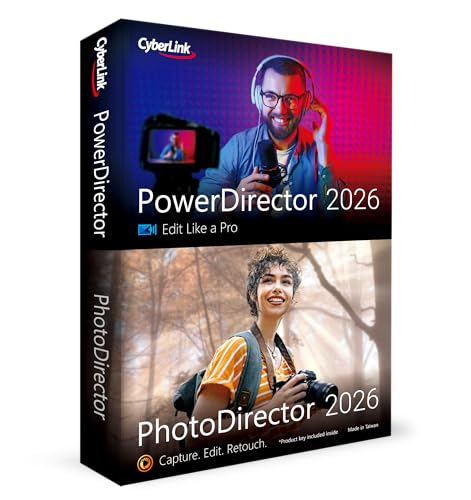
PowerDirector 2026 combines video and photo editing with strong AI features. Quick Actions apply personalized edits, and batch editing helps process large photo sets efficiently. This makes it a solid pick for content creators who routinely produce both video and image assets and want fast, polished results.
- Best for: AI-assisted editing enthusiasts who work with both video and photos.
- Why selected: AI-driven enhancements and practical batch tools save time on repetitive tasks.
- Caution: Some advanced tools may require a brief learning period to master.
Nero Video Maker

Nero Video Maker emphasizes AI-assisted editing with a focus on producing high-quality videos and slideshows. It features multi‑track timelines and AI tools to manage media, aiming at users who want efficient workflow and professional results without manual complexity.
- Best for: Editors who value AI-driven management and templates.
- Why selected: Combines multi-track editing with an extensive library of templates and effects.
- Caution: While feature-rich, the interface may still require a short acclimation period for new users.
Adobe Premiere Elements 2026

Premiere Elements 2026 offers a guided, scalable approach. It starts with quick, guided edits and adds more advanced options for growth, including editing 360° VR and stop-motion projects. This makes it suitable for casual editors who want a structured path to more sophisticated projects over time.
- Best for: Casual editors who want AI-assisted guidance and mode-based learning.
- Why selected: A smooth progression from guided to advanced editing helps users build skills gradually.
- Caution: It may lack some of the depth and collaboration features found in full desktop editors.
CyberLink PowerDirector 2026 (Alternate)

Note: This section references an alternate PowerDirector listing with similar capabilities. It remains a strong option for users who value AI-assisted editing, color adjustments, and frame interpolation features. Best for: creators who want smooth, AI-driven enhancements and realistic frame interpolation to improve motion quality.
Pinnacle Studio 26

Pinnacle Studio 26 is designed for editors who want a balance of advanced features and stable performance. It includes a six-track timeline, templates, and options for screen recording and multi‑cam editing. This makes it a practical choice for projects that require a reliable workflow and creative control without overcomplication.
- Best for: Users seeking a capable, stable, feature-rich editor with flexible timelines.
- Why selected: Strong balance of creative options with solid performance, suitable for serious projects.
- Caution: May not match the depth of high-end professional suites in some specialized tasks.
Buying Guide: Key Purchase Considerations
What should I look for in a video editor?
- Workflow fit: Consider whether you prefer a guided experience (Premiere Elements) or a robust, all-in-one editor (Nero Video 2026).
- Output needs: Ensure the software supports your target resolutions (4K, 8K) and formats, along with multi-track timelines for complex projects.
- AI features: AI-assisted editing can speed up common tasks (color correction, scene detection, auto-trim). Determine which features matter most to you.
Who should use each option?
- Beginners and hobbyists: Nero Video 2026 or Premiere Elements 2026 for guided learning.
- Developing creators: CyberLink PowerDirector 2026 for AI tools and flexible workflows.
- Budget-conscious editors: VideoPad Free edition offers essential tools without high cost.
- Advanced hobbyists and pros: Pinnacle Studio 26 Ultimate for expert-level features and precise control.
What about platform and licensing?
- Most listed products run on Windows. Check system requirements for 4K/8K timelines and GPU acceleration.
- Licensing can vary: some offer lifetime licenses per PC, others use download codes or term-based access. Plan according to your long-term needs.
Storage, performance, and compatibility considerations
- Large projects with 4K/8K footage require ample disk space and a capable GPU. Look for hardware acceleration support.
- Asset libraries and templates can speed up production; verify that the included resources align with your project style.
FAQ
- Q: Which editor is easiest for beginners? A: Adobe Premiere Elements 2026 emphasizes guided edits and scalable learning, making it friendly for newcomers.
- Q: Which option is best for 4K and 8K projects? A: Nero Video 2026 and Pinnacle Studio 26 Ultimate offer strong support for high-resolution timelines.
- Q: Can AI features replace manual editing? A: AI assists can speed up tasks but still benefit from human oversight for creative decisions.
- Q: Do these editors support screen recording? A: Several listed options include screen capture tools, notably some PowerDirector and Pinnacle Studio variants.
- Q: Are these licenses perpetual? A: Licensing varies; check each product’s terms to confirm if it’s a lifetime license or time-based access.
- Q: Is there a free version available? A: VideoPad offers a free variant with basic capabilities; more advanced features require purchase.