Answering buyers looking for dependable wireless access points (APs) for offices, cafes, or small businesses, this guide compares top options based on features, manageability, and future-proofing. The selections emphasize ease of cloud management, Wi‑Fi 6/7 speeds, PoE support, and scalable deployments. This list helps IT admins choose devices suited for small to mid-size networks, from turnkey cloud-managed systems to compact enterprise APs. Below, you’ll find five standout models with clear, practical buying guidance and a concise buying guide.
Summary table of selected products:
| Product | ||
|---|---|---|
| TP-Link Omada 7, BE5000 (EAP720) | Wi‑Fi 7, 2.5G port, cloud management | Networks needing high-throughput and centralized control |
| Ubiquiti UniFi nanoHD | MU-MIMO, high concurrency, compact | Medium-density environments needing reliability |
| TP-Link Omada AX3000 (EAP650) | Wi‑Fi 6, cloud management, slim design | Modern office spaces prioritizing speed and cloud control |
| TP-Link TL-WA1201 | Dual-band, MU‑MI MO, flexible modes | Flexible deployments with multiple mode needs |
| TP-Link Omada AX1800 (EAP610) | Wi‑Fi 6, cloud management, slim form | Cost-effective Wi‑Fi 6 with cloud control |
TP-Link Omada 7, BE5000 Wireless Access Point

Best for: large spaces and high-throughput requirements. This AP uses Wi‑Fi 7 and a 2.5G port to handle growing bandwidth and multi-device demands. It integrates with the Omada Cloud Management Platform for centralized monitoring, configuration, and features like zero-touch provisioning. The device supports Multi-Link Operation and 4K-QAM, boosting performance across all clients. A potential limitation is the need for compatible cloud management for full feature access, which is a consideration for smaller teams that want fully self-contained hardware control.
Ubiquiti UniFi nanoHD Compact 802.11ac Wave2 MU-MIMO
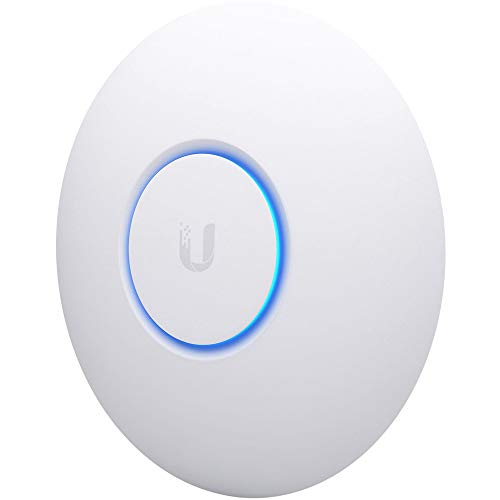
Best for: compact, high-capacity deployments in small offices or public spaces. The nanoHD supports MU‑MIMO with four streams and handles 200+ concurrent users, making it well-suited for medium-density environments. It’s a strong choice for those already invested in UniFi ecosystems. A limitation to note is that some advanced enterprise features may require the UniFi Controller ecosystem for full utilization, which could add setup steps for new users.
Omada AX3000 Wireless Access Point, EAP650

Best for: fast, modern office networks seeking Wi‑Fi 6 performance with cloud management. The EAP650 offers up to 2976 Mbps in dual-band operation and includes Omada Essentials Cloud Management, which enables scalable, cost-effective administration. The ultra-slim design aids discreet installation in professional spaces. Note that the most benefit comes from ongoing cloud management and a compatible Omada setup, which may require an initial configuration step for new deployments.
TP-Link TL-WA1201, AC1200 Dual Band

Best for: flexible deployments with multiple modes. The TL-WA1201 supports Client, Range Extender, AP, and other modes, delivering up to 1200 Mbps across dual bands. It also supports Passive PoE for easy wiring. This makes it a sensible choice for spaces needing adaptable configurations or where PoE injection is unavailable. Consider potential features not present in higher-end models, such as advanced cloud management, when choosing this for larger networks.
Omada AX1800 Wireless Access Point, EAP610

Best for: budget-conscious Wi‑Fi 6 deployments with cloud management. The EAP610 provides true Wi‑Fi 6 speeds up to 1800 Mbps and Free Omada Essentials Cloud Management, enabling centralized control without extra hardware. It’s an economical entry point for smaller offices seeking modern performance and management. A caution is that performance depends on the overall network environment and cloud connectivity; local-only control isn’t available without cloud features.
Buying Guide: Key Considerations For Selecting Wireless Access Points
- Cloud management vs. standalone control: Do you prefer centralized cloud management to simplify deployments, remote monitoring, and firmware updates, or do you need local-only control?
- Wi‑Fi standard and speed: Prioritize Wi‑Fi 6 for new deployments, Wi‑Fi 7 for future-proofing and higher throughput, and 4×4/2×2 configurations depending on client devices.
- Power and deployment flexibility: Look for PoE or PoE++ compatibility to simplify cabling, especially in ceilings or hard-to-reach spaces. Consider Passive PoE support if your switch lacks PoE.
- Multi-user performance: MU-MIMO and OFDMA help in busy environments with many devices. Choose models with multi-user features tuned for your expected device mix.
- Port speed and uplink capacity: A 2.5G Ethernet port can future-proof networks with multi-gig internet and high internal traffic. Ensure your switch supports multi-gig speeds if you plan upgrades.
- Design and placement: Slim, compact units ease mounting in retail or office spaces. Aesthetic design can help blend with modern interiors when visibility matters.
- Scalability: If you anticipate network growth, select models that integrate smoothly with a central controller or cloud management platform to add APs without complex reconfiguration.
Frequently Asked Questions
- What is the best wireless access point for a small office? – A Wi‑Fi 6 AP with cloud management and PoE support offers reliable coverage, simple deployment, and scalable management for small offices.
- Do I need Wi‑Fi 7 in my business AP today? – Wi‑Fi 7 provides higher speeds and capacity, but Wi‑Fi 6 remains a solid, cost-effective choice for many small to mid-size networks. Upgrade plans should align with traffic growth.
- Is cloud management necessary? – Not always. Cloud management simplifies remote administration and updates, but you can select local controllers if you want offline control or have strict data policies.
- What should I consider for multi-floor deployments? – Look for APs with strong coverage, appropriate ceiling or wall mounting options, and a controller capable of handoffs (roaming) across multiple APs to avoid dead zones.
- How important is a 2.5G port? – A 2.5G Ethernet port helps future-proof networks against rising internal traffic and multi-gig internet connections, reducing bottlenecks on uplinks.
- Can I mix brands in a single network? – Yes, in many cases you can manage mixed-brand deployments, but you may lose some advanced cross-brand features and centralized management consistency. Prefer controllers that support multiple vendors if mixed ecosystems are necessary.