When you need to recover lost partitions and critical files, choose software that supports multiple file formats, works across common storage devices, and offers clear recovery steps. This guide targets buyers seeking reliable partition recovery and data rescue capabilities for Windows, Mac, and mixed environments. The top picks below are best for different use cases—from professional recovery to home backup and system rescue.
Summary table of selected products
| Product | Best For | Key Strength | Platform |
|---|---|---|---|
| Stellar Data Recovery Professional (Windows) | Windows users needing broad file recovery and partition recovery | Wide file format support, NTFS/FAT/exFAT compatibility | Windows |
| AOMEI Backupper PRO | System backups, quick recovery after failures | Backup, sync, disk cloning, malware protection | Windows |
| Stellar Photo Recovery Professional | Media recovery from cameras, memory cards, drives | Supports RAW formats, broad media recovery | Windows |
| Backup Pro 27 | Full system backups and disaster recovery | Flexible backup locations, cloud options | Windows |
| Stellar Data Recovery Professional (Mac) | Mac users needing file and partition recovery | Bootable media, drive monitor, cloning | macOS |
Stellar Data Recovery Professional for Windows

Stellar Data Recovery Professional for Windows is a robust tool for restoring a wide range of file types from Windows PCs and external storage. It supports recovery from devices like HDDs, SSDs, USB drives, CDs/DVDs, and even Blu-ray discs. The software covers scenarios such as corruption, missing partitions, and formatting. It is suitable for IT professionals and power users who manage diverse data loss cases on Windows systems. A limitation to watch for is that large, complex recoveries may require time to complete depending on drive health and data volume.
- Best for: Windows environments needing broad file and partition recovery.
- Why selected: Comprehensive file type support and compatibility with common NTFS, FAT, and exFAT drives.
- Limitation: Recovery speed can vary with drive size and fragmentation.
AOMEI Backupper PRO
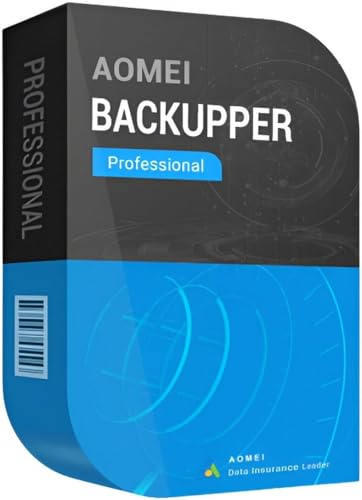
AOMEI Backupper PRO is designed for proactive data protection and recovery in Windows environments. It emphasizes instant recovery after system or malware-related failures and offers backup, file synchronization, and disk cloning. This makes it ideal for small businesses or individual users who want an all-in-one solution to prevent data loss and speed up recovery. A potential caveat is that the focus on Windows-specific workflows means Mac users may need alternative software.
- Best for: Windows users seeking integrated backup and recovery with ransomware protection.
- Why selected: Fast restore after system failures and robust backup options.
- Limitation: Primarily optimized for Windows; cross-platform use is limited.
Stellar Photo Recovery Professional

Stellar Photo Recovery Professional specializes in recovering media files—photos, videos, and audio—from a wide array of storage devices, including cameras, SD cards, USB drives, and internal/external HDDs. It supports a broad set of photo and video formats and can recover RAW image files from major camera brands. This is best for photographers and media creators who require reliable media restoration, with the caveat that non-media data recovery is not its primary focus.
- Best for: Media restoration from cameras and memory cards.
- Why selected: Strong media-specific recovery, including RAW formats.
- Limitation: Not the top choice for non-media file recovery.
Backup Pro 27

Backup Pro 27 focuses on full-system backup and disaster recovery for Windows. It supports backing up photos, videos, documents, and more, with flexible storage options including hard drives, USB drives, network storage, and cloud. It is well-suited for users who want a reliable, straightforward way to protect an entire system and enable a quick restore after hardware failure or malware. A limitation to consider is that its strength is backup and restore rather than advanced file-level recovery.
- Best for: Complete system backups and flexible recovery planning.
- Why selected: Wide backup destination options and cloud support.
- Limitation: Less emphasis on granular file recovery compared to dedicated recovery tools.
HIRENS BOOT DVD x64 UEFI
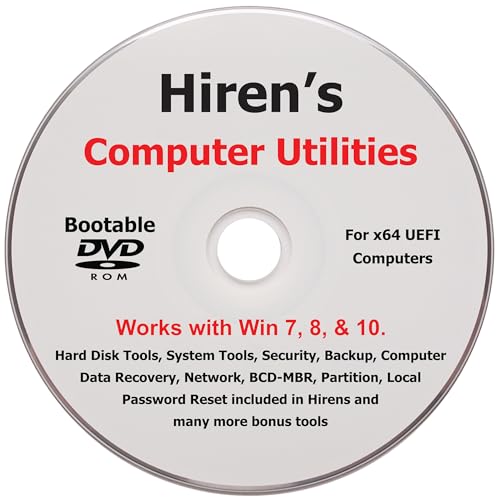
HIRENS BOOT DVD provides a suite of computer utilities for repair, recovery, and maintenance. It includes tools used by professional shops to service and recover computers, with an easy-to-follow installation guide and included tool list. This option is best for technicians and advanced users who need a broad toolkit for on-disk repair and data recovery in a bootable environment. It may require familiarity with bootable media and tool navigation.
- Best for: Technicians needing a portable toolkit for repair and recovery.
- Why selected: Comprehensive set of utilities suitable for diverse recovery tasks.
- Limitation: May be complex for casual users and non-technical buyers.
Stellar Data Recovery Professional for Mac

Stellar Data Recovery Professional for Mac delivers similar capabilities to its Windows counterpart, with features that support bootable media creation, drive monitoring, HDD cloning, and pause/resume scanning. It is designed for Mac users needing safe recovery from non-booting systems as well as recovery of deleted files and volumes. It’s best for Mac-centric environments, with a limitation being that Windows-strong features may perform differently on macOS depending on the system configuration.
- Best for: Mac users needing robust recovery and bootable media support.
- Why selected: Mac-focused recovery features plus bootable recovery options.
- Limitation: Cross-platform parity may vary with certain Mac setups.
Buying Guide
What should you consider when choosing partition recovery software?
- Scope of recovery: Do you need file-level restoration, partition recovery, or full-system backup and restore?
- Platform compatibility: Is the software designed for Windows, macOS, or both?
- Storage coverage: Does it support NTFS, FAT, exFAT, and external drives like USBs and SD cards?
- Recovery speed and reliability: Are there options to pause, resume, or create bootable recovery media?
- Additional features: Disk cloning, cloud backups, ransomware protection, or media-specific recovery?
Buying decisions can hinge on the balance between comprehensive recovery capabilities and ease of use. For mixed environments or professional workflows, software offering bootable media, drive monitoring, and flexible backup destinations can reduce downtime. For media-focused recoveries, prioritize tools that support RAW formats and RAW image restoration. Consider a layered approach: use a backup-centric solution for ongoing protection and a dedicated recovery tool for complex partition or file loss scenarios.
FAQ
- What is partition recovery software?
Software designed to locate and restore lost or damaged partitions and the data they contain, often including file recovery, partition table repair, and disk health checks.
- Can partition recovery help after formatting?
Yes, many tools can scan for recoverable files after a format and reconstruct file structures, though success depends on subsequent writes to the drive.
- Is bootable recovery media important?
Yes, it allows you to recover data from a system that cannot boot, increasing the chances of successful restoration.
- Should I use a dedicated recovery tool or a general backup solution?
Use a dedicated recovery tool for complex data loss scenarios and a backup solution for ongoing protection and quick restoration after failures.
- Are these tools safe to use on external drives?
Most recovery tools support external drives; follow on-screen prompts carefully to avoid overwriting data.
- Do these products work on both Windows and Mac?
Some products offer cross-platform support, but many are Windows-only or macOS-specific. Check each product’s platform notes before purchase.